
Chromebook · Lock it down
Choose your Safe Wall
Partner approval, or a cooling-off timer.
Pick up where you left off?
Step 1 of 4
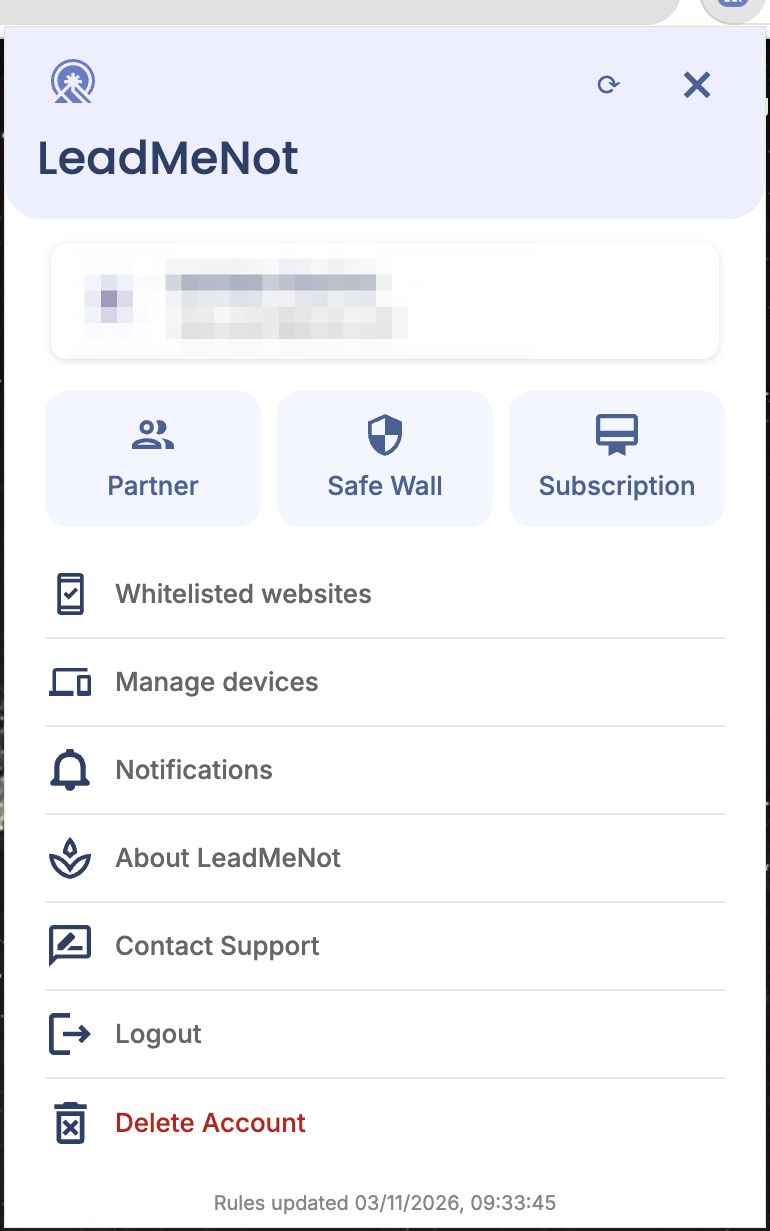
Open You › Safe Wall
Click the person icon, then Safe Wall.
Step 2 of 4
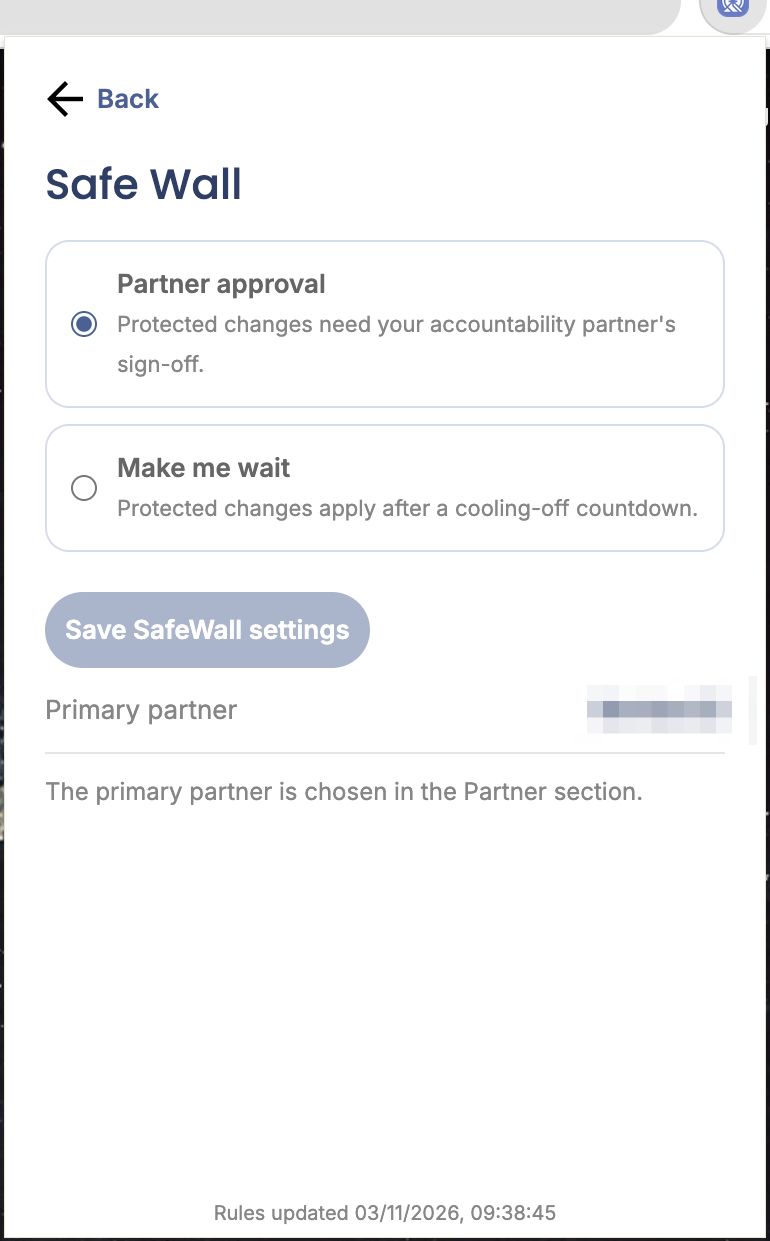
Pick Partner approval or Make me wait
Partner approval: protected changes need your partner's sign-off. Make me wait: they apply after a countdown. Click Save SafeWall settings.
Step 3 of 4
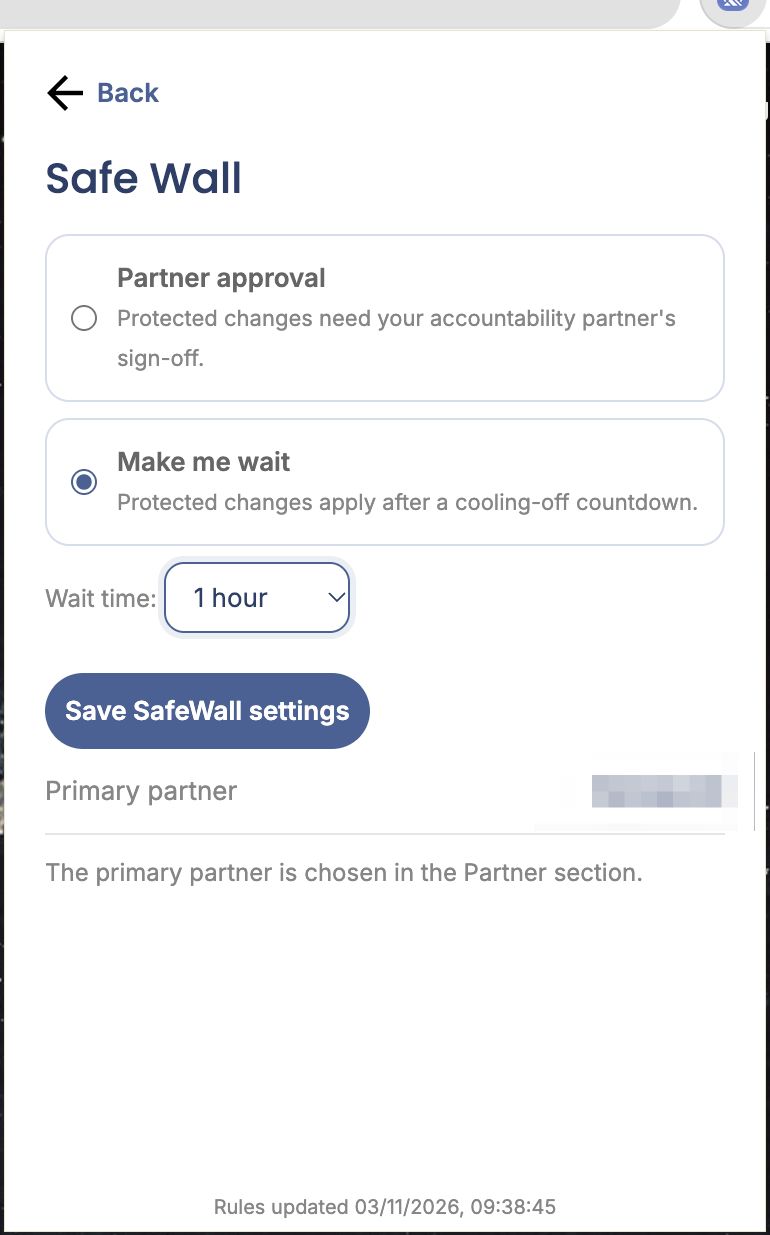
Make me wait: choose the time
Pick the wait time, then save.
Step 4 of 4
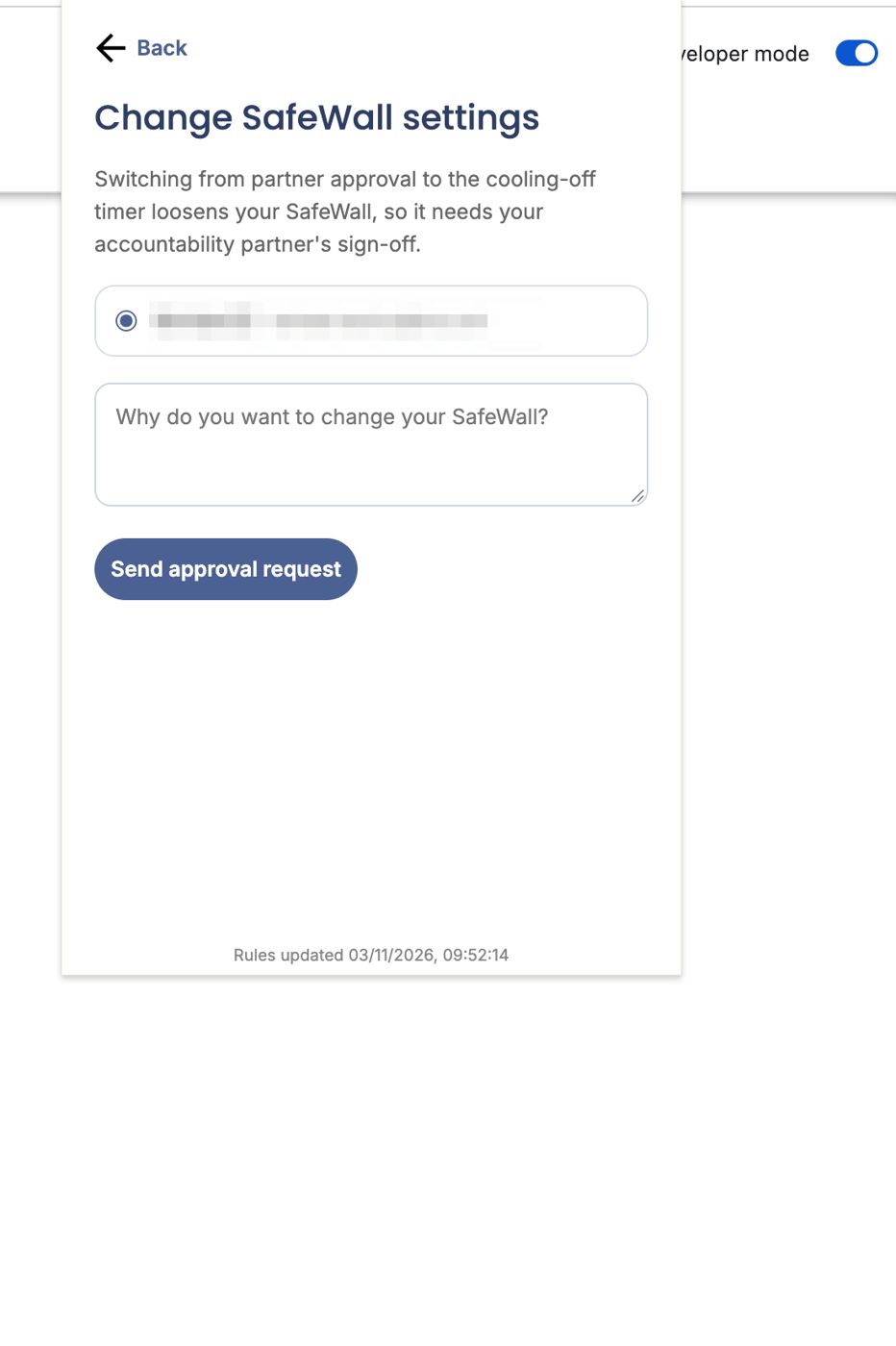
Loosening it needs approval
Switching from partner approval to a timer is itself a protected change: pick your partner, give a reason and click Send approval request.
Pick an option above
Did this work?
Great. Here's what people usually do next:
Sorry about that. Email Jason and we'll include which guide and step you were on, or ask our assistant.