
iPhone & iPad · Change or allow something
Delete another app when Uninstall Protection is on
Uninstall Protection blocks deleting any app, not just LeadMeNot. Here's how to remove one.
Why
Step 1 of 4
Why you can't delete apps
Uninstall Protection stops every app on your phone from being deleted, so it can't be used to sneak LeadMeNot off. Apps you try to remove go to the App Library instead.
Step 2 of 4
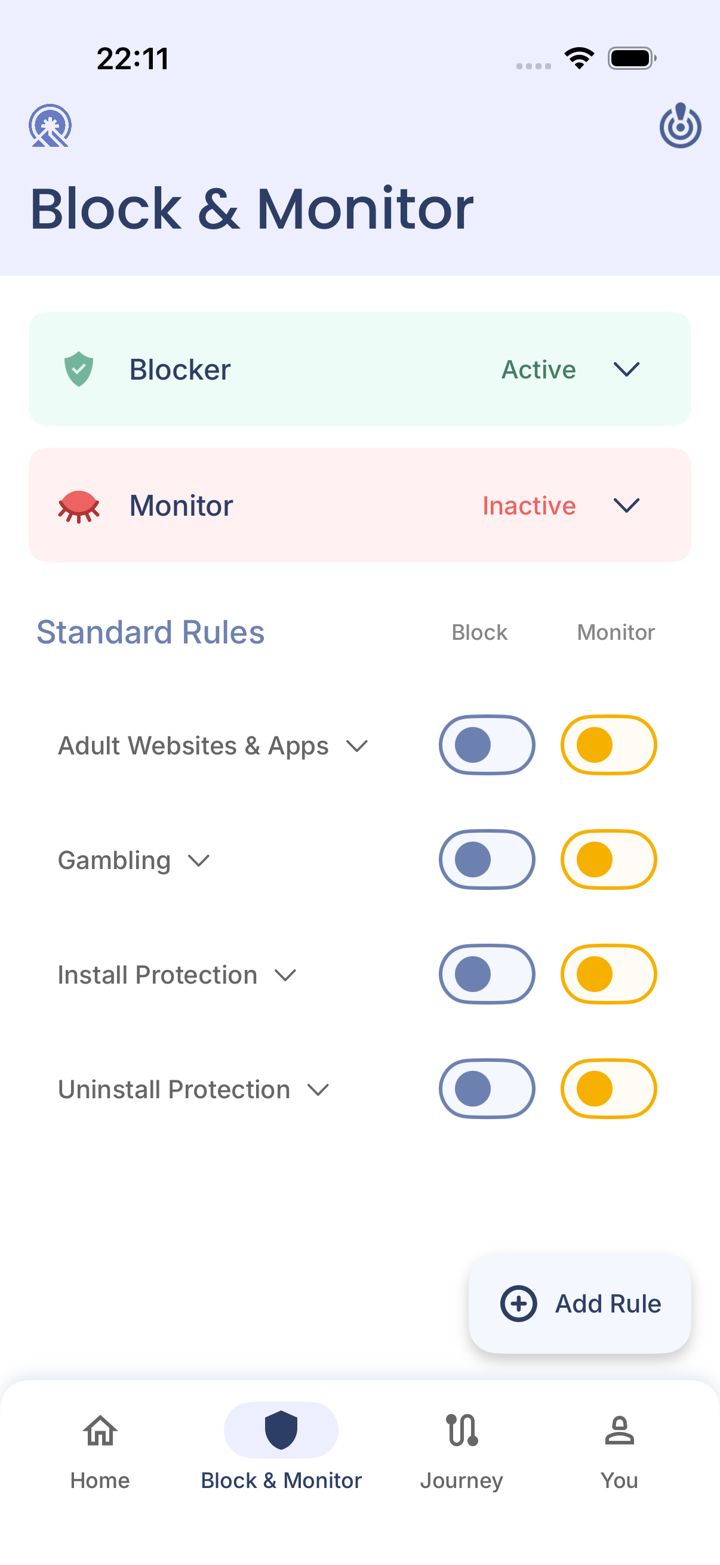
Open the Block & Monitor tab
Tap Block & Monitor in the bar at the bottom of the app.
Step 3 of 4
Switch off Uninstall Protection
Tap the Block switch next to Uninstall Protection. This goes through your Safe Wall.
Can't reach your partner and need it now? Email jason@leadmenot.org and Jason can approve it.
iPhone Home Screen
Step 4 of 4
Delete the app, then switch it back on
Delete the app as usual, then come back and switch Uninstall Protection on again.
Did this work?
Great. Here's what people usually do next:
Sorry about that. Email Jason and we'll include which guide and step you were on, or ask our assistant.