
iPhone & iPad · Account & billing
Log in or reset your password
Get back into your account, or get a password reset link.
Step 1 of 4
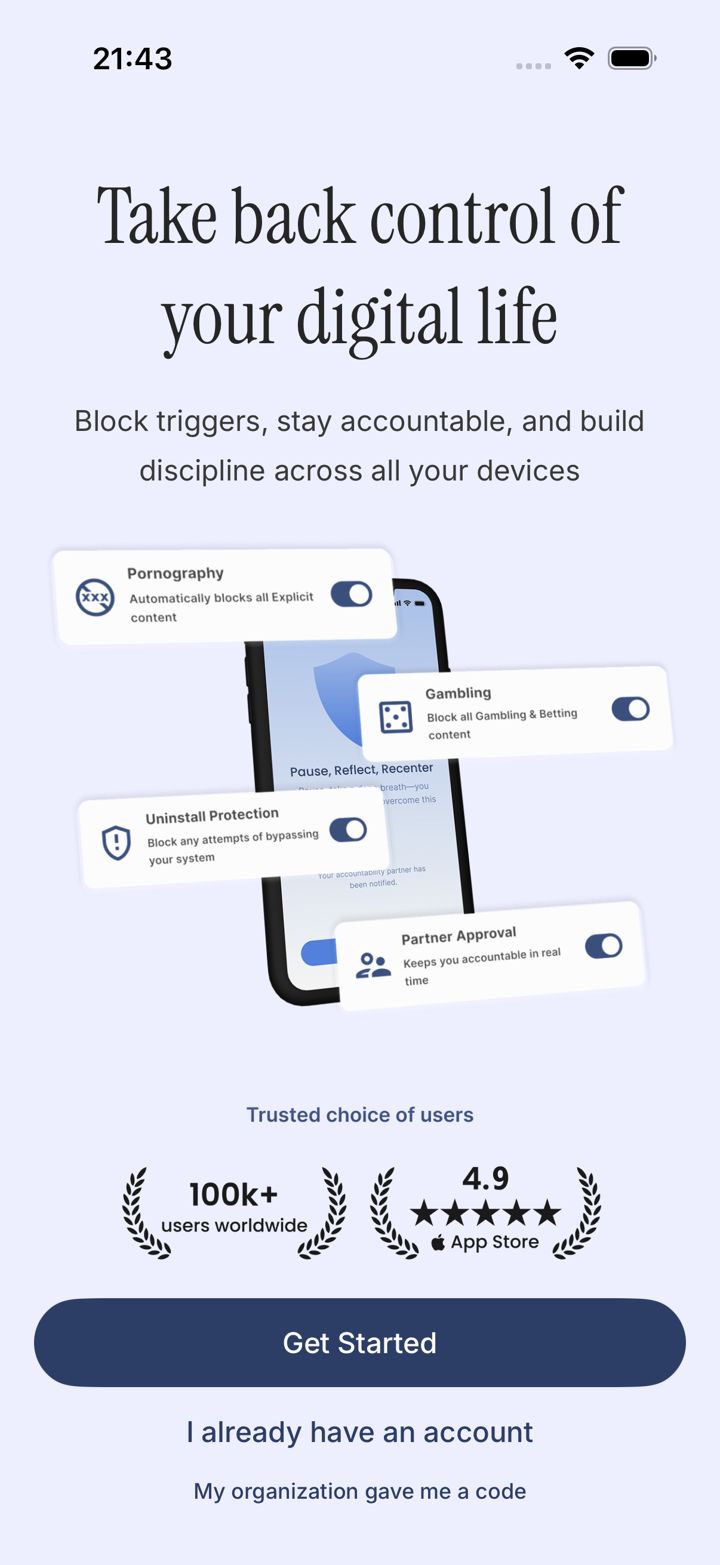
Tap I already have an account
On the first screen, tap I already have an account.
Step 2 of 4
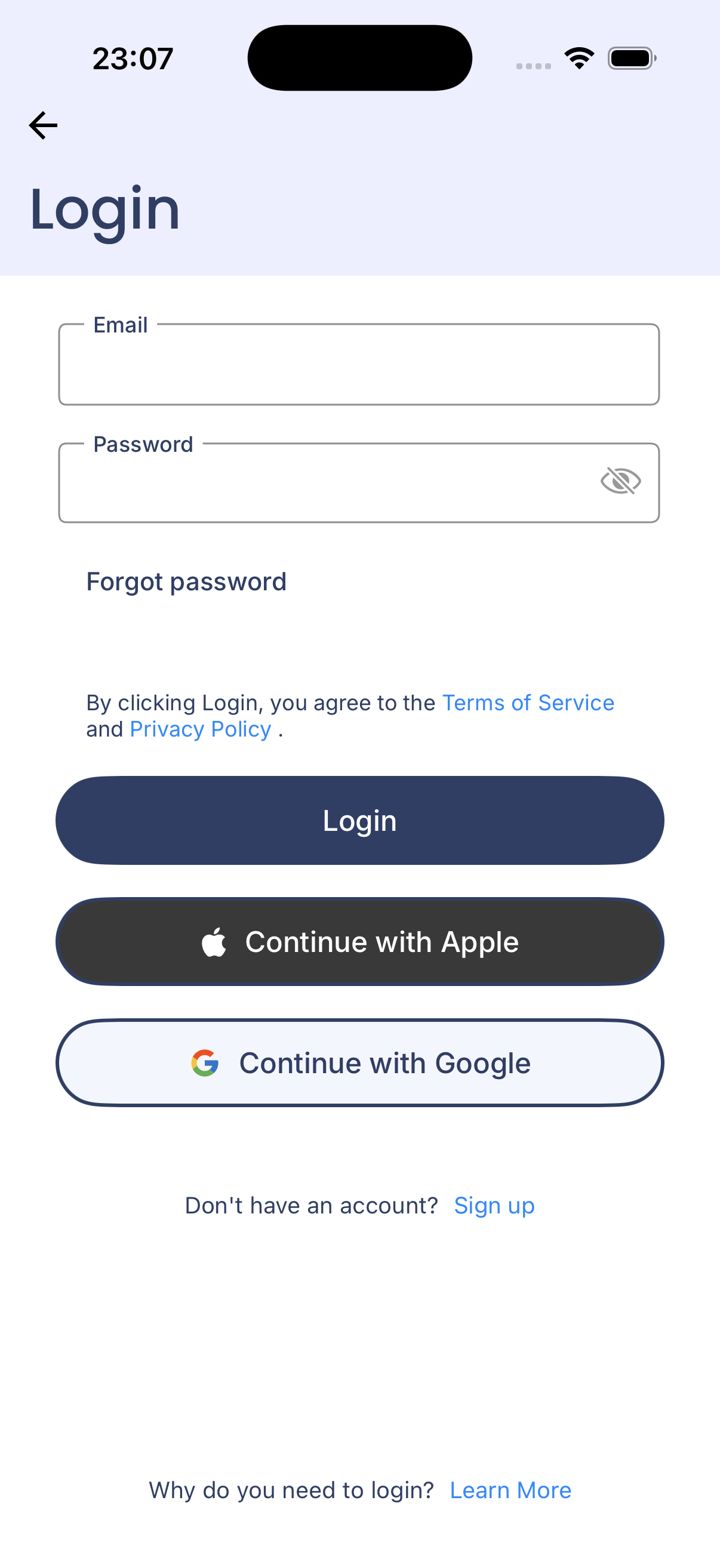
Log in the same way you signed up
Enter your email and password and tap Login, or use Continue with Apple / Continue with Google if that's how you signed up.
Using a different sign-in method than before creates a new, empty account.
Step 3 of 4
Forgot your password?
Tap Forgot password.
Step 4 of 4
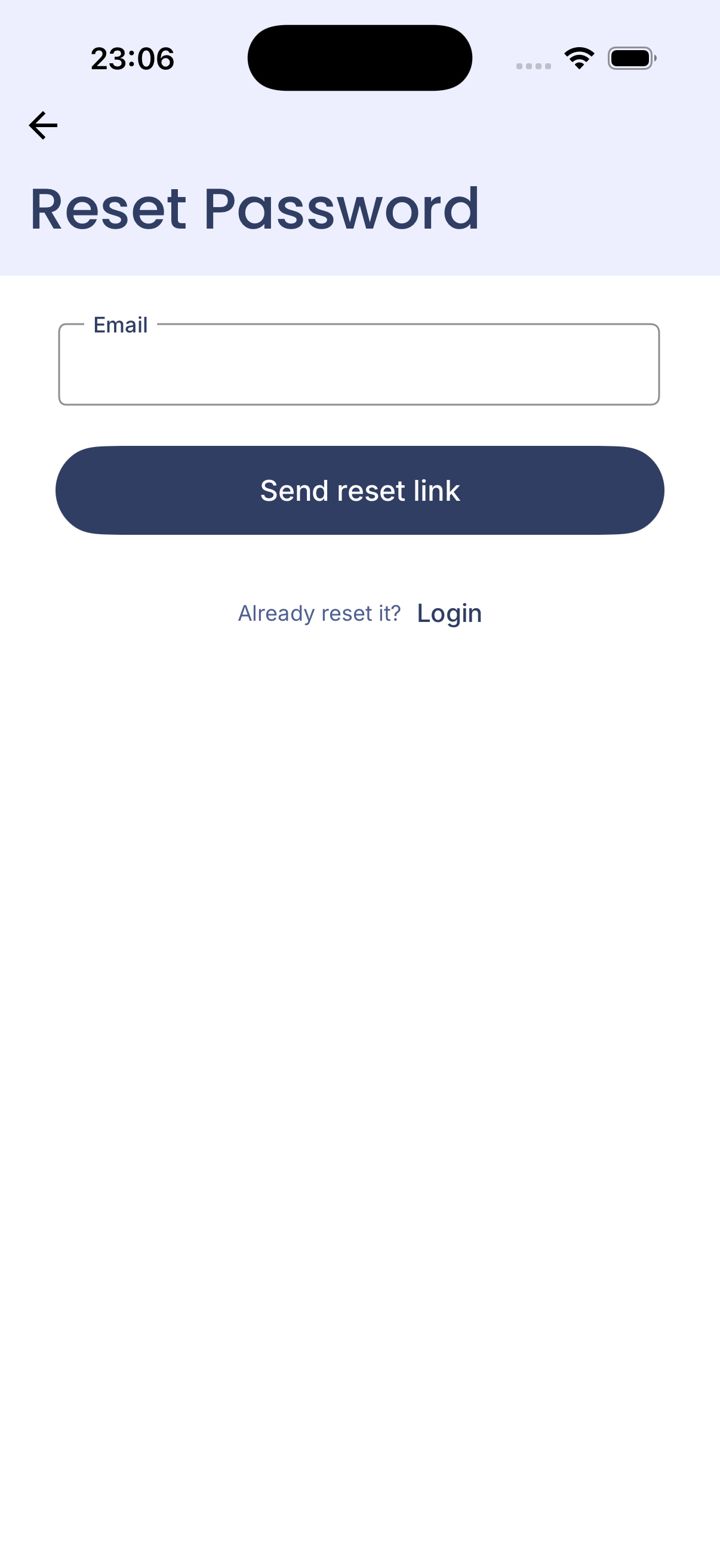
Send yourself a reset link
Enter your account email and tap Send reset link. Check your inbox and spam folder.
Seeing Device Limit Reached after logging in? Email jason@leadmenot.org with your account email and we'll clear the old device.
Did this work?
Great. Here's what people usually do next:
Sorry about that. Email Jason and we'll include which guide and step you were on, or ask our assistant.