
Mac · Change or allow something
Turn a rule off (what Safe Wall does)
Switching anything off goes through your Safe Wall. Here's what you'll see.
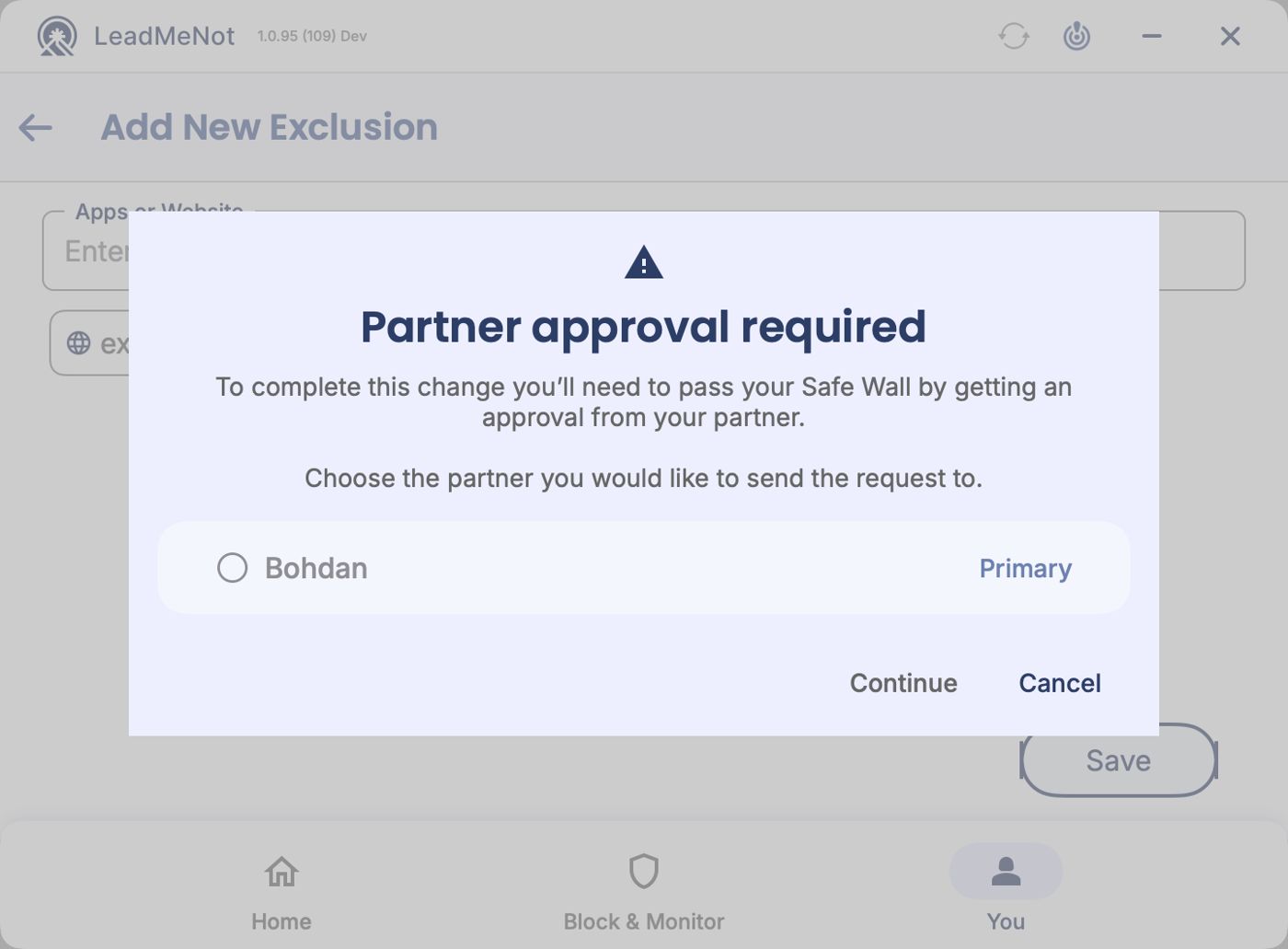
Step 1 of 5
Approval from partner: pick who to ask
When you switch a rule or the Blocker off, this appears. Choose your partner and click Continue.
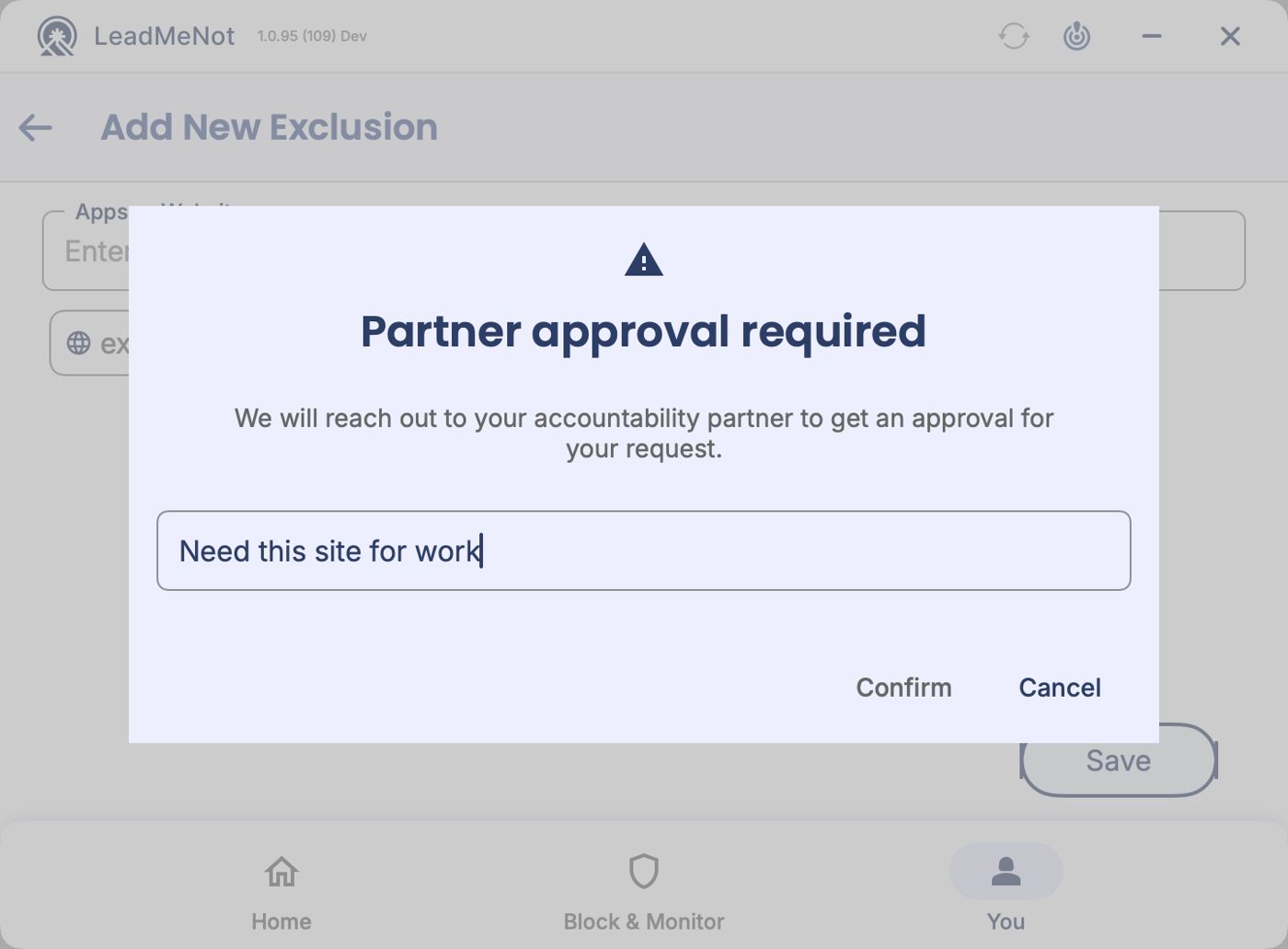
Step 2 of 5
Say why
Write a short reason. Your partner sees it in the request. Click Confirm.
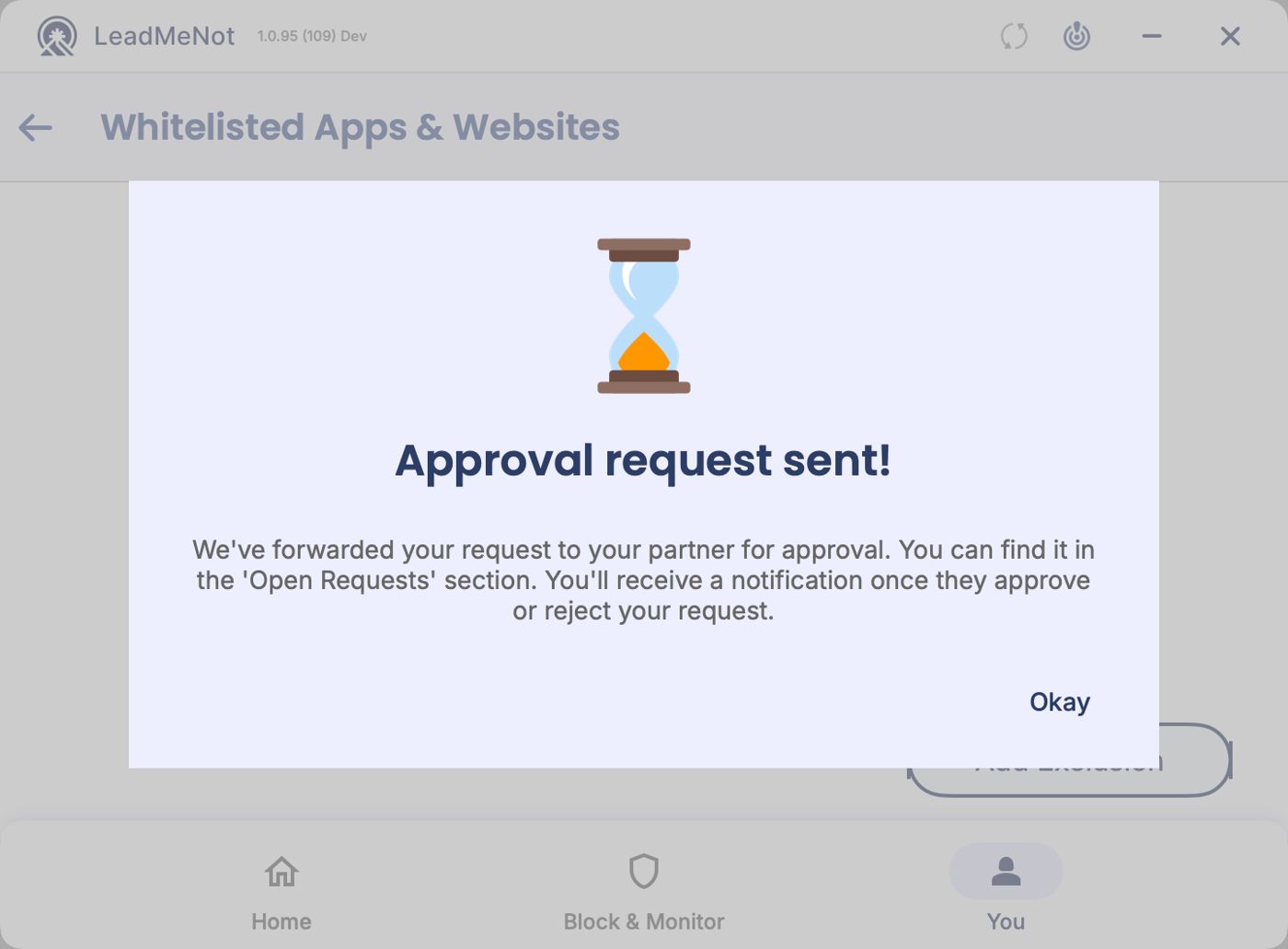
Step 3 of 5
Request sent
Nothing changes until your partner approves. You'll be notified either way.
LeadMeNot
Step 4 of 5
Make me wait: the countdown
With Make me wait, a countdown starts instead. You can close the app; it keeps running. The change happens when it ends.
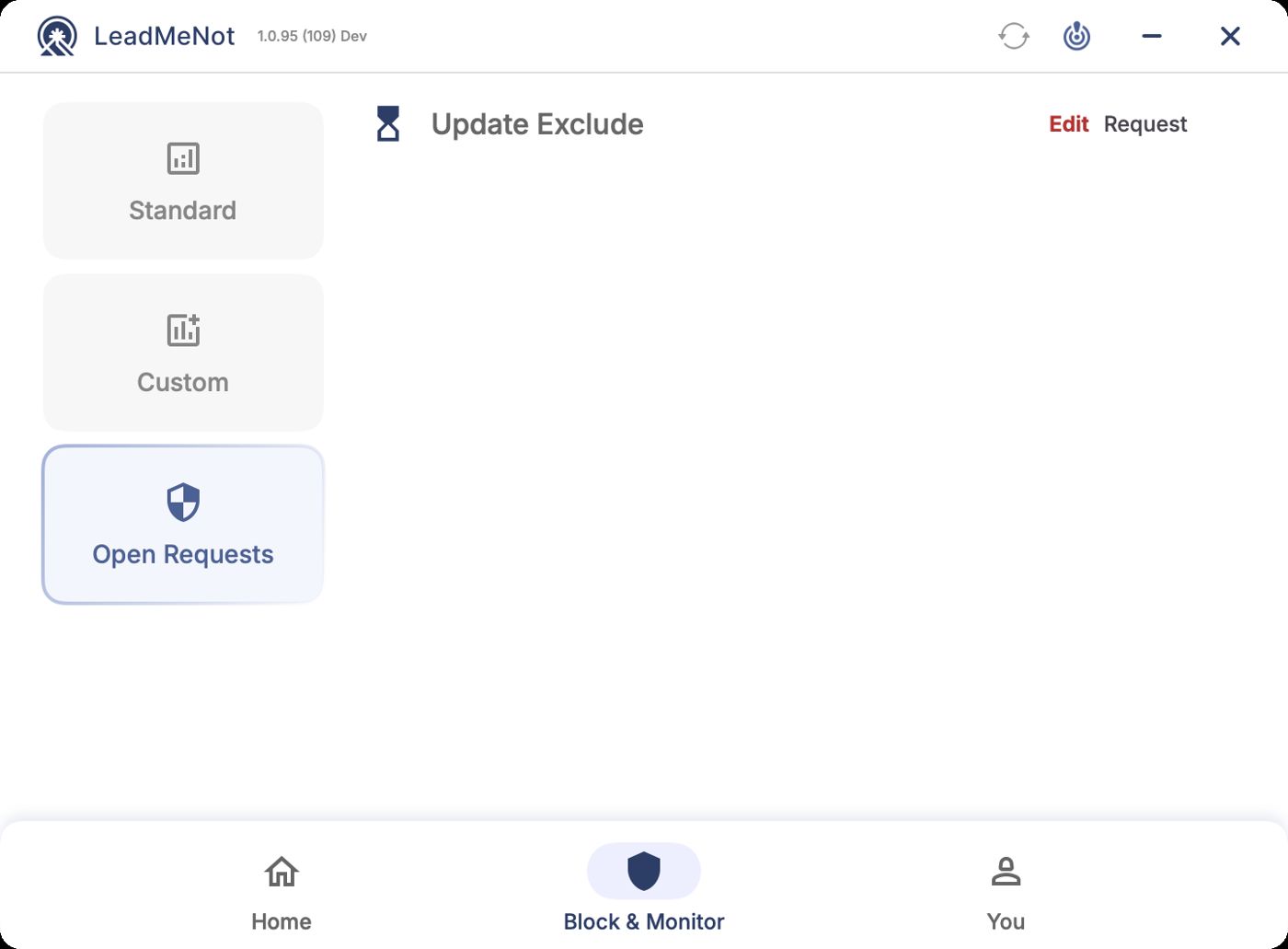
Step 5 of 5
Find it under Open Requests
Pending changes are listed under Block & Monitor › Open Requests. Click View to see one, or cancel it from there.
Can't reach your partner and genuinely need the change? Email jason@leadmenot.org.
Did this work?
Great. Here's what people usually do next:
Sorry about that. Email Jason and we'll include which guide and step you were on, or ask our assistant.