
Mac · Change or allow something
Allow an app or website that's being blocked
Whitelist something you need, like your bank or a work tool.
Pick up where you left off?
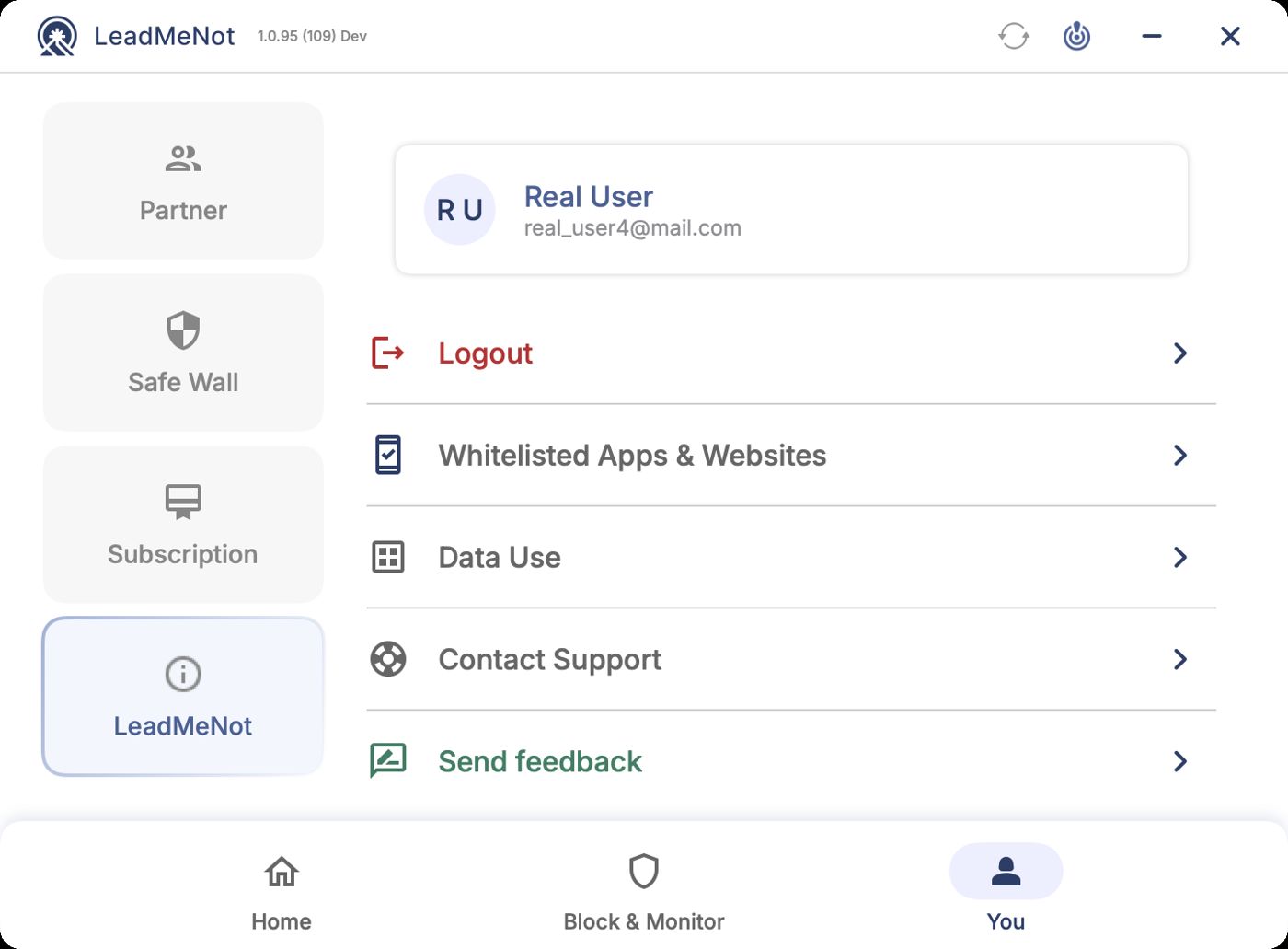
Step 1 of 4
Open You › LeadMeNot › Whitelisted Apps & Websites
Click You, then LeadMeNot on the left, then Whitelisted Apps & Websites.
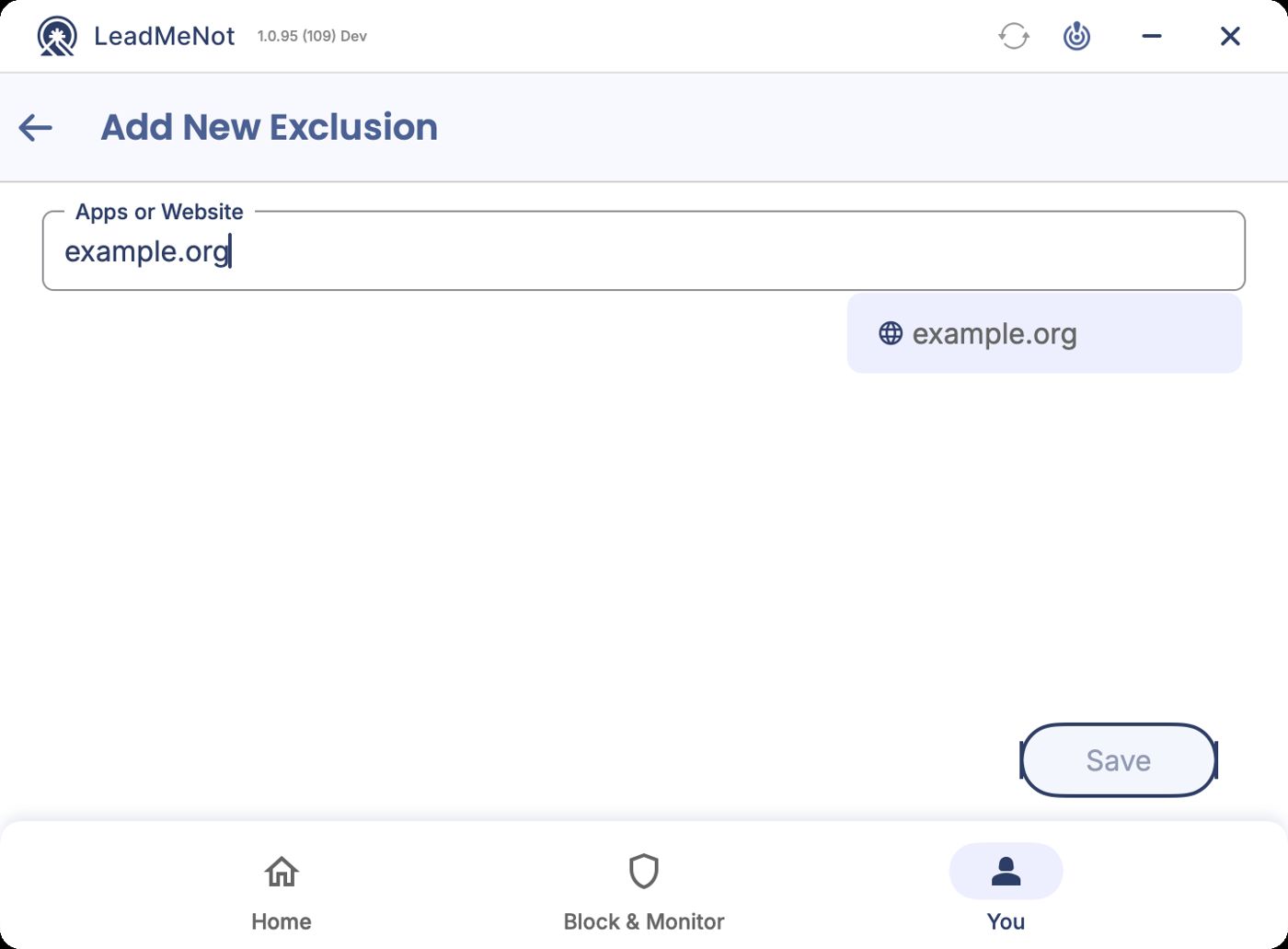
Step 2 of 4
Add the app or site
Click Add Exclusion, type the app or website and click the suggestion.
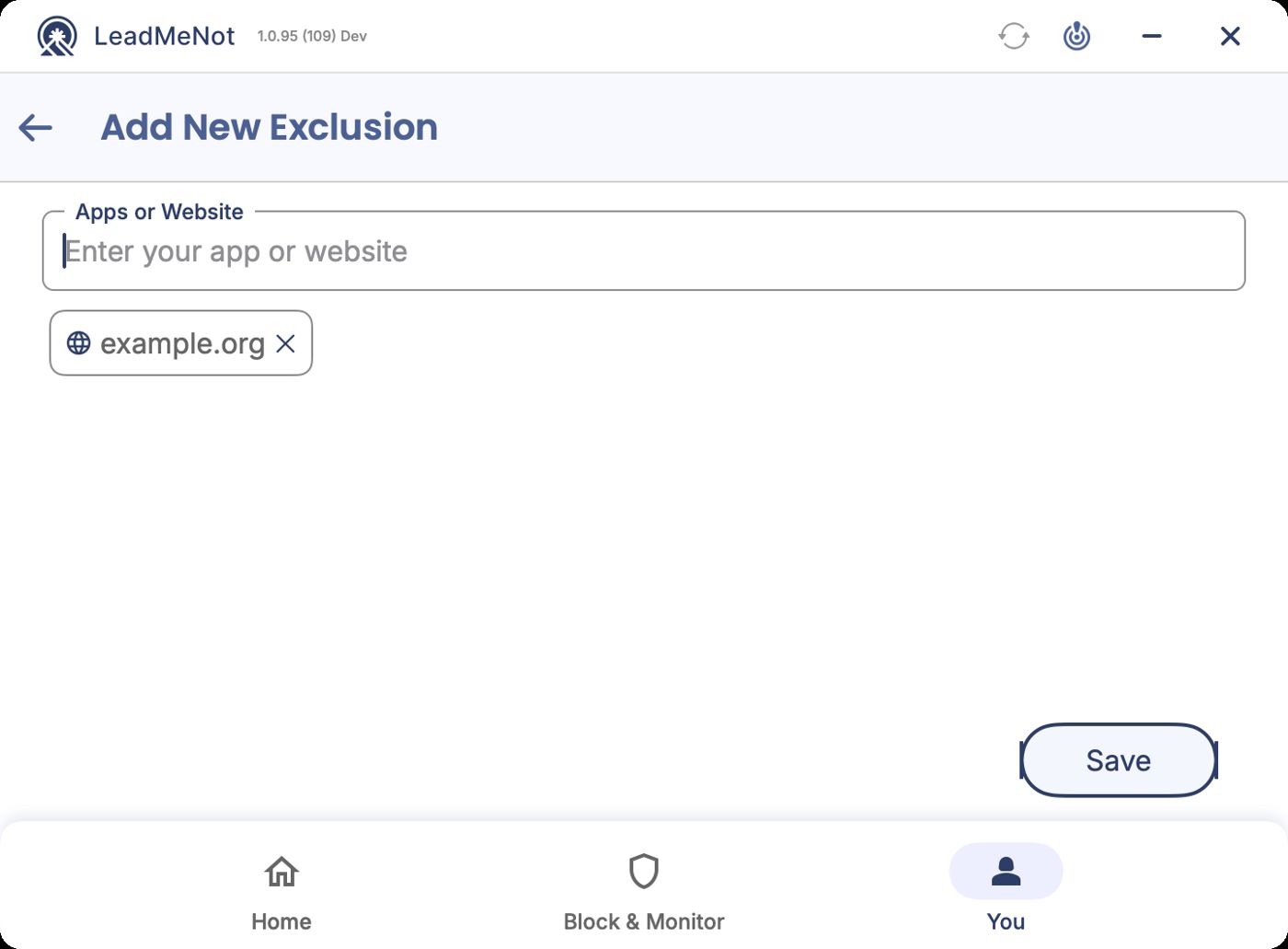
Step 3 of 4
Save
Check the chip and click Save.
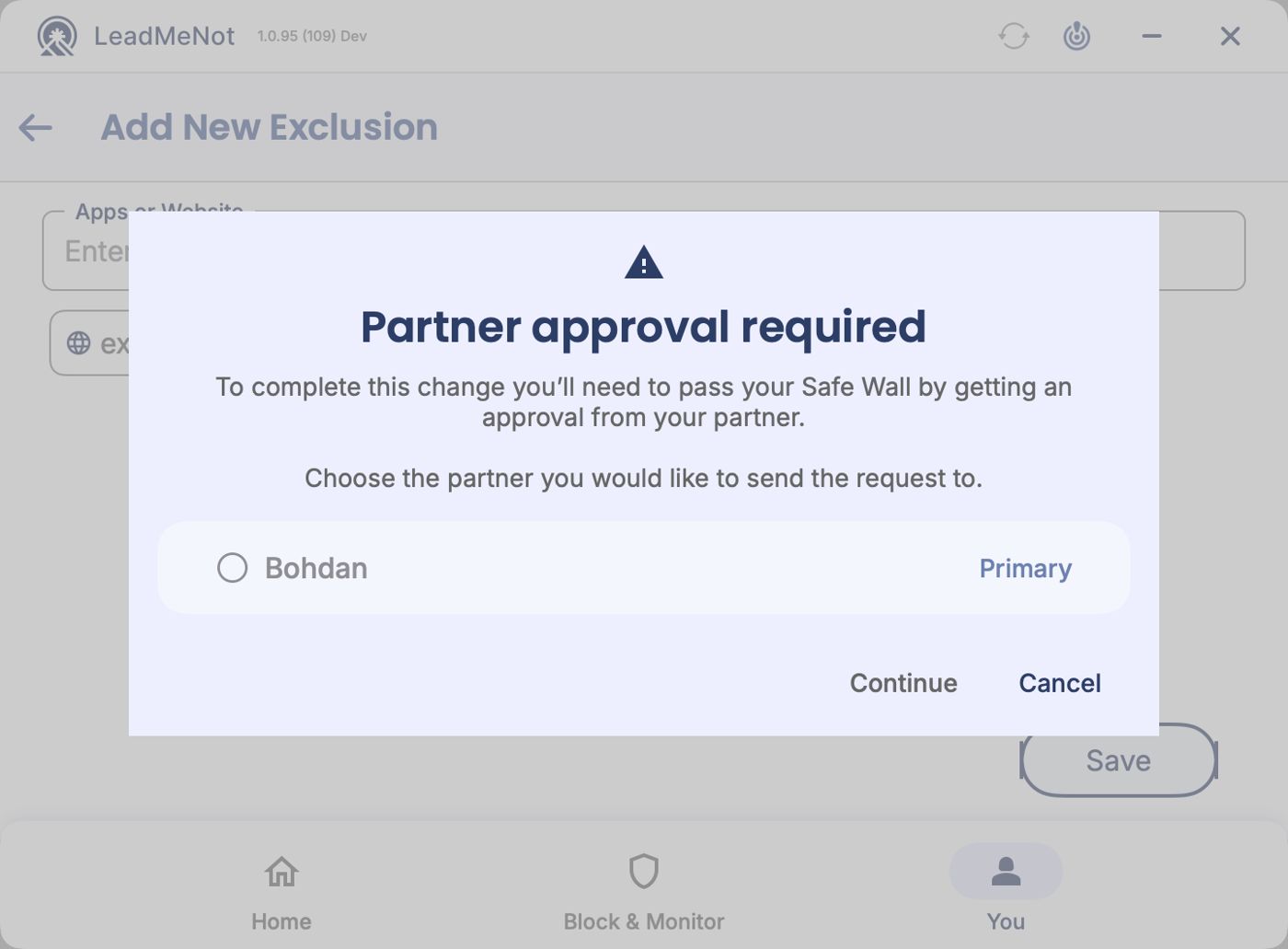
Step 4 of 4
Pass your Safe Wall
Whitelisting loosens protection, so it goes through Safe Wall: pick your partner and continue, or wait out your timer.
Good to know
Can't reach your partner? Email jason@leadmenot.org and Jason can approve it.
Pick an option above
Did this work?
Great. Here's what people usually do next:
Sorry about that. Email Jason and we'll include which guide and step you were on, or ask our assistant.