
Windows · Change or allow something
Allow an app or website that's being blocked
Whitelist something you need, like your bank or a work tool.
Step 1 of 4
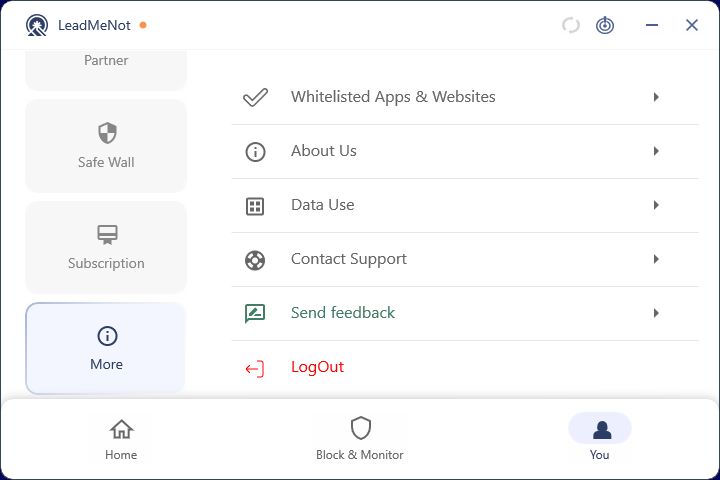
Open You › More › Whitelisted Apps & Websites
Click You, then More on the left, then Whitelisted Apps & Websites.
Step 2 of 4
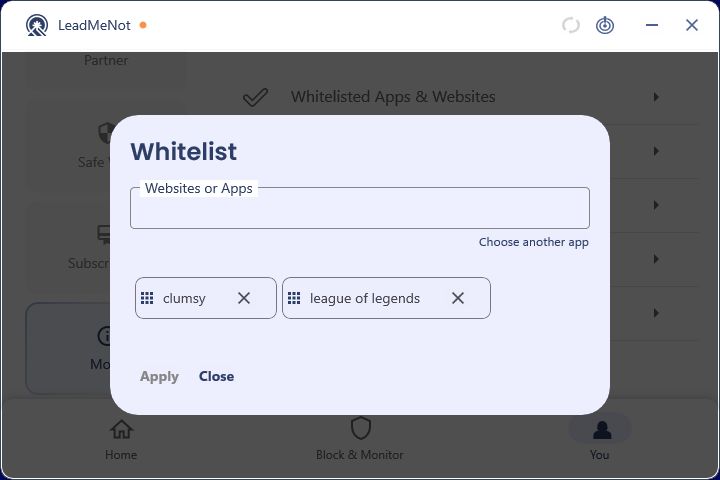
Add the app or site, then Apply
Type the app or website, click the suggestion to add it as a chip, and click Apply.
Step 3 of 4
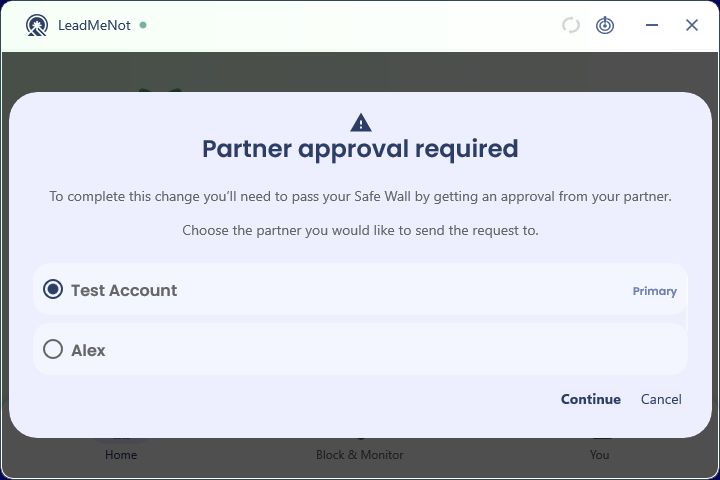
Pass your Safe Wall
Whitelisting loosens protection, so it goes through Safe Wall: pick your partner and continue, or wait out your timer.
Can't reach your partner? Email jason@leadmenot.org and Jason can approve it.
Step 4 of 4
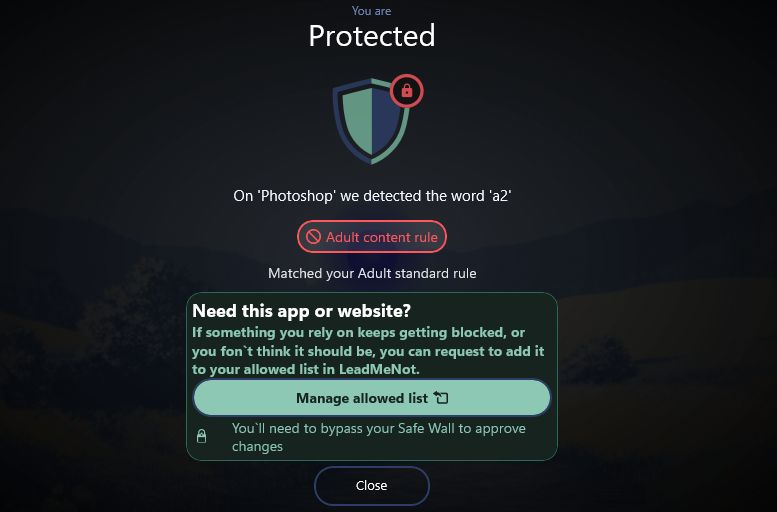
Or start from the block screen
When something is blocked, the overlay says which rule matched and offers Manage allowed list, which takes you straight to the whitelist.
Did this work?
Great. Here's what people usually do next:
Sorry about that. Email Jason and we'll include which guide and step you were on, or ask our assistant.