
iPhone & iPad · Accountability partner
Add an accountability partner
Invite someone you trust. They don't need to install anything.
Why
Step 1 of 6
Didn't get asked to add a partner during setup?
That happens when you chose Blocking only. Setup only asks for a partner when monitoring is part of your plan. You can add one any time with the steps below, then turn on Monitor so they actually hear about things.
Step 2 of 6
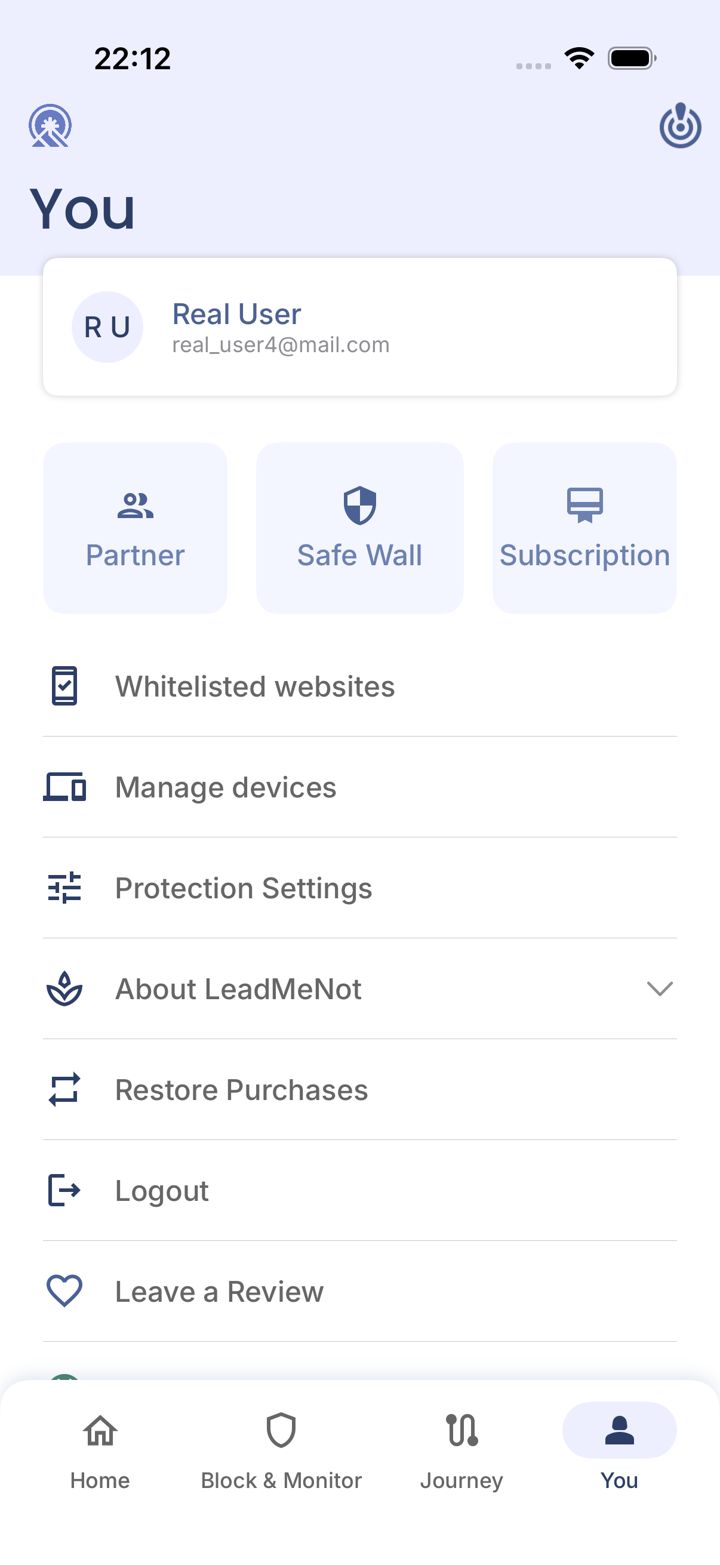
Open the You tab
Tap You in the bottom right of the app.
Step 3 of 6
Tap Partner
Tap Partner near the top.
Step 4 of 6
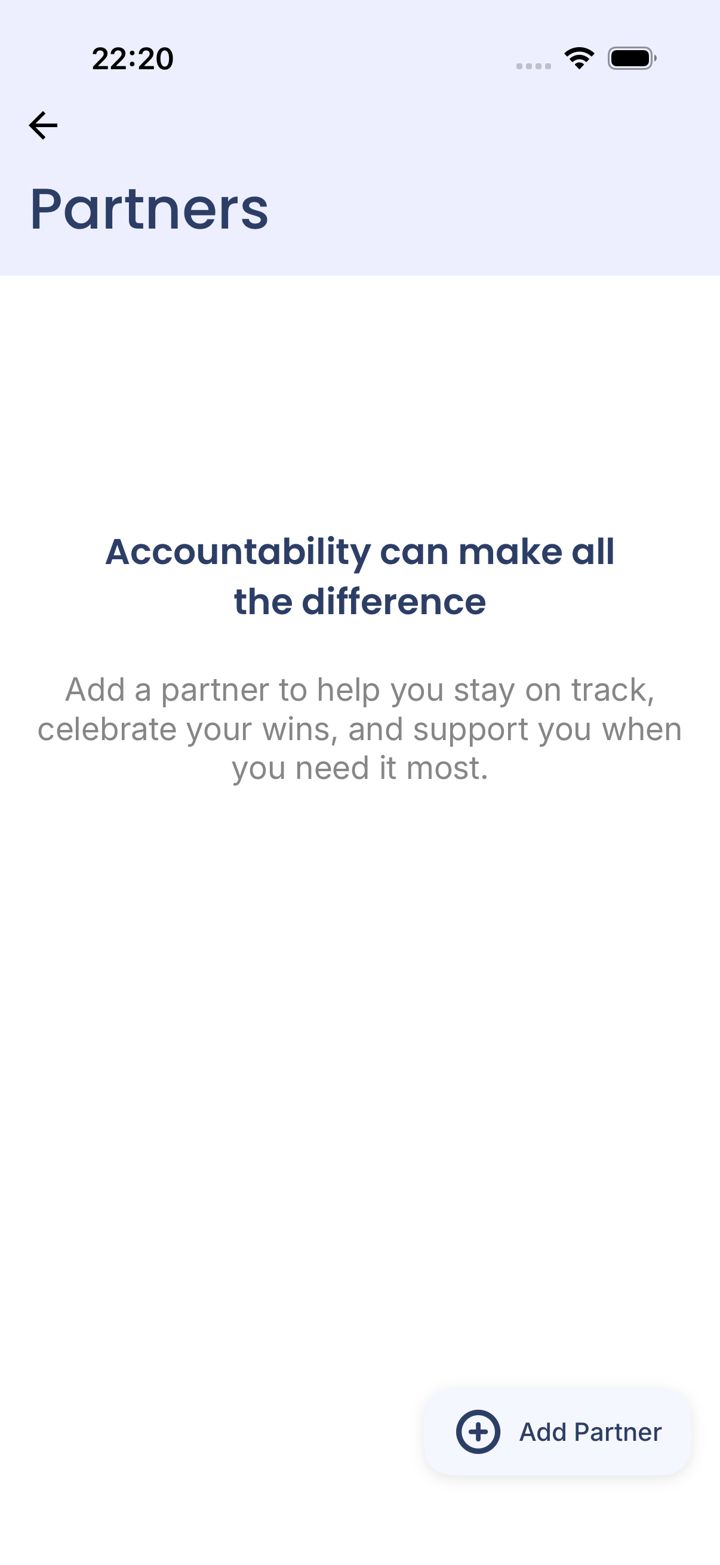
Tap Add Partner
Tap Add Partner in the bottom right.
Step 5 of 6
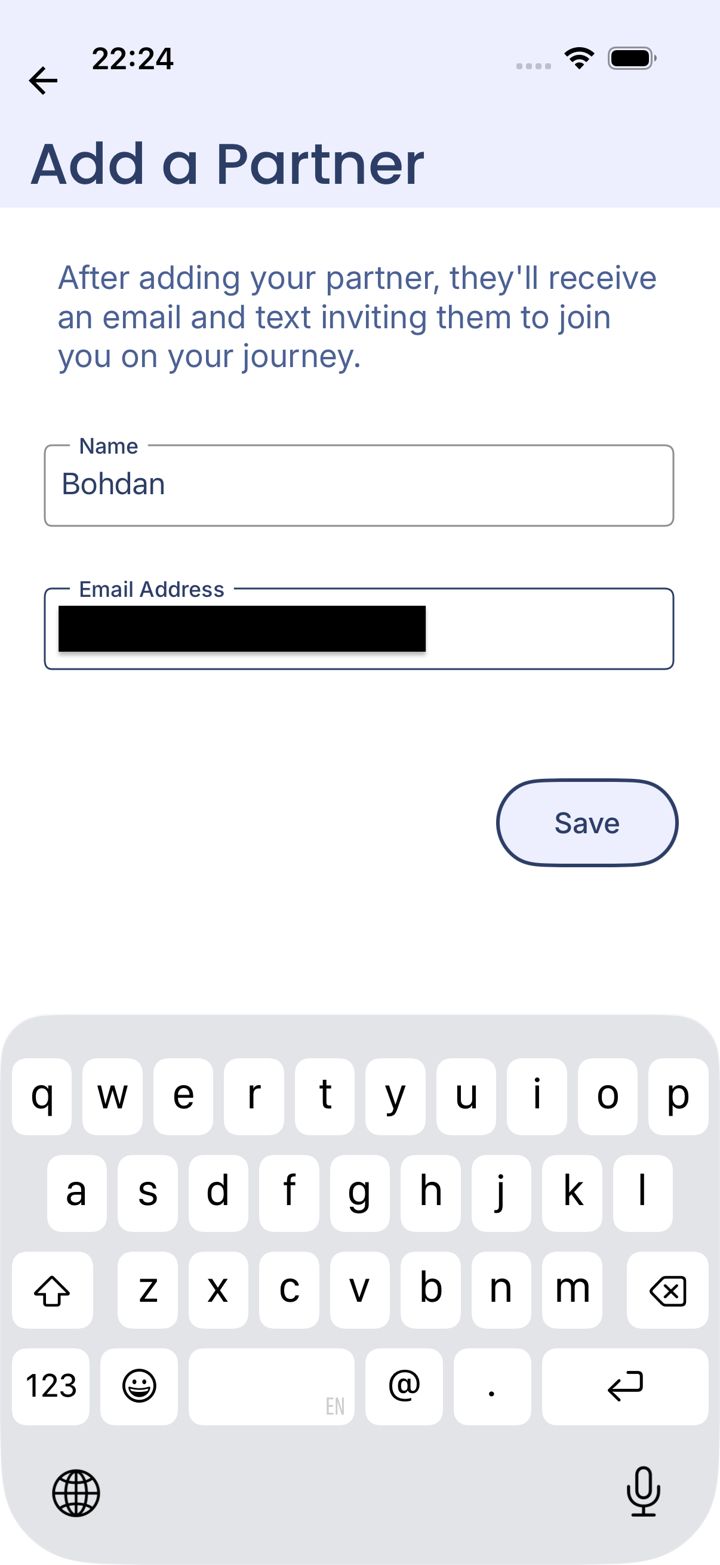
Enter their details
Type your partner's name and email address, then tap Save.
Step 6 of 6
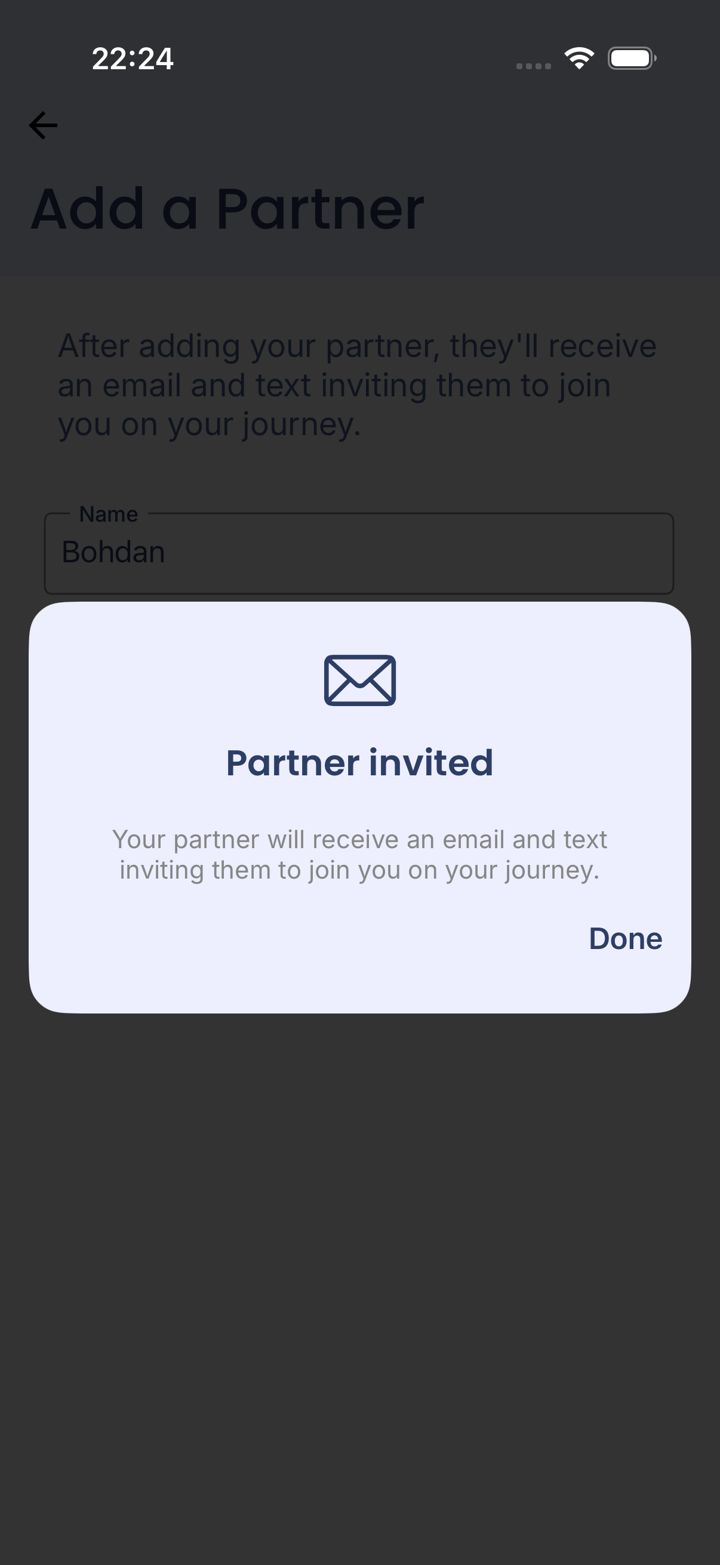
They're invited
Your partner gets an invitation by email. Tap Done.
Your partner doesn't need the app. They get alerts by email. The free LMN Partner app gives them more detail and lets them approve Safe Wall requests.
Did this work?
Great. Here's what people usually do next:
Sorry about that. Email Jason and we'll include which guide and step you were on, or ask our assistant.