
iPhone & iPad · Accountability partner
Make sure your partner gets alerts
Alerts only go out when Monitor is on. Here's how to check.
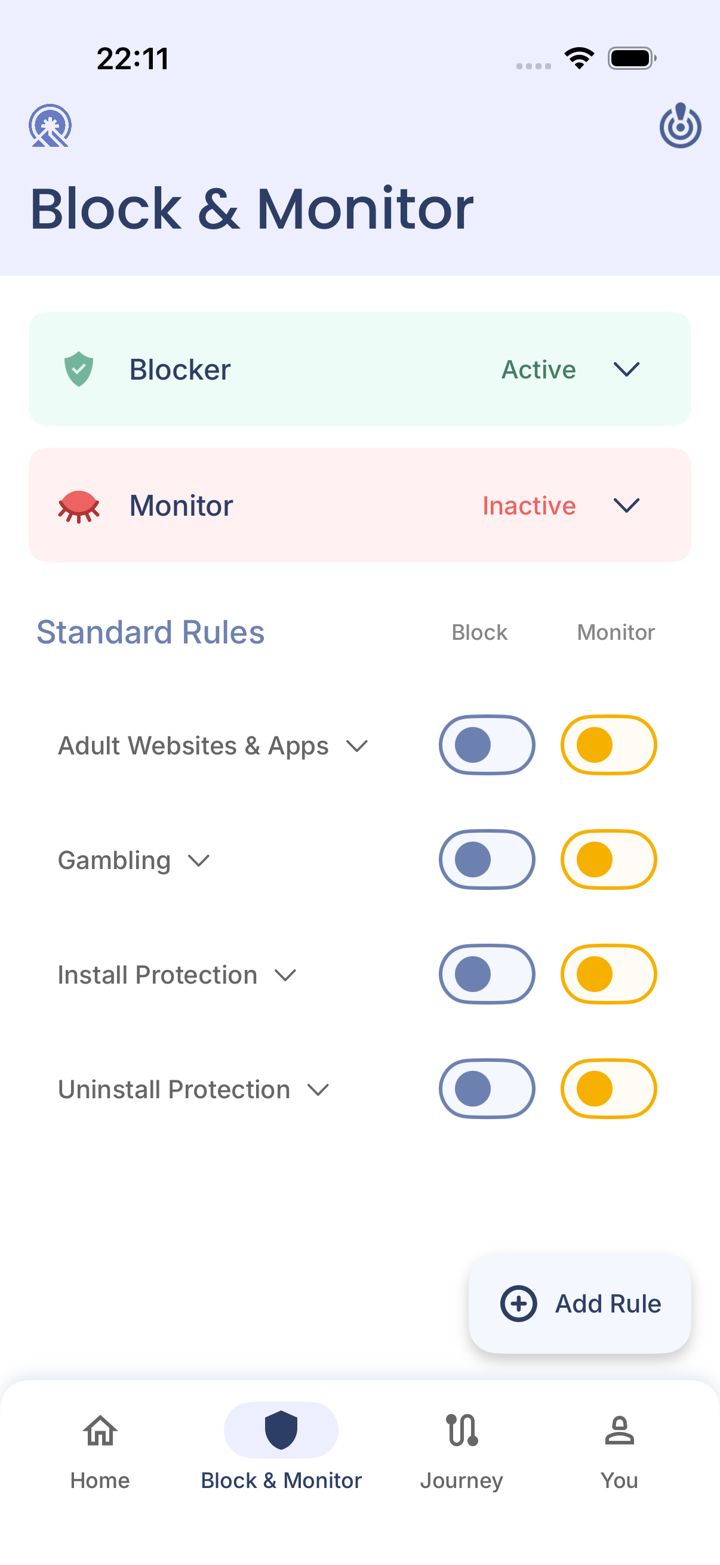
Step 1 of 4
Open the Block & Monitor tab
Tap Block & Monitor in the bar at the bottom of the app.
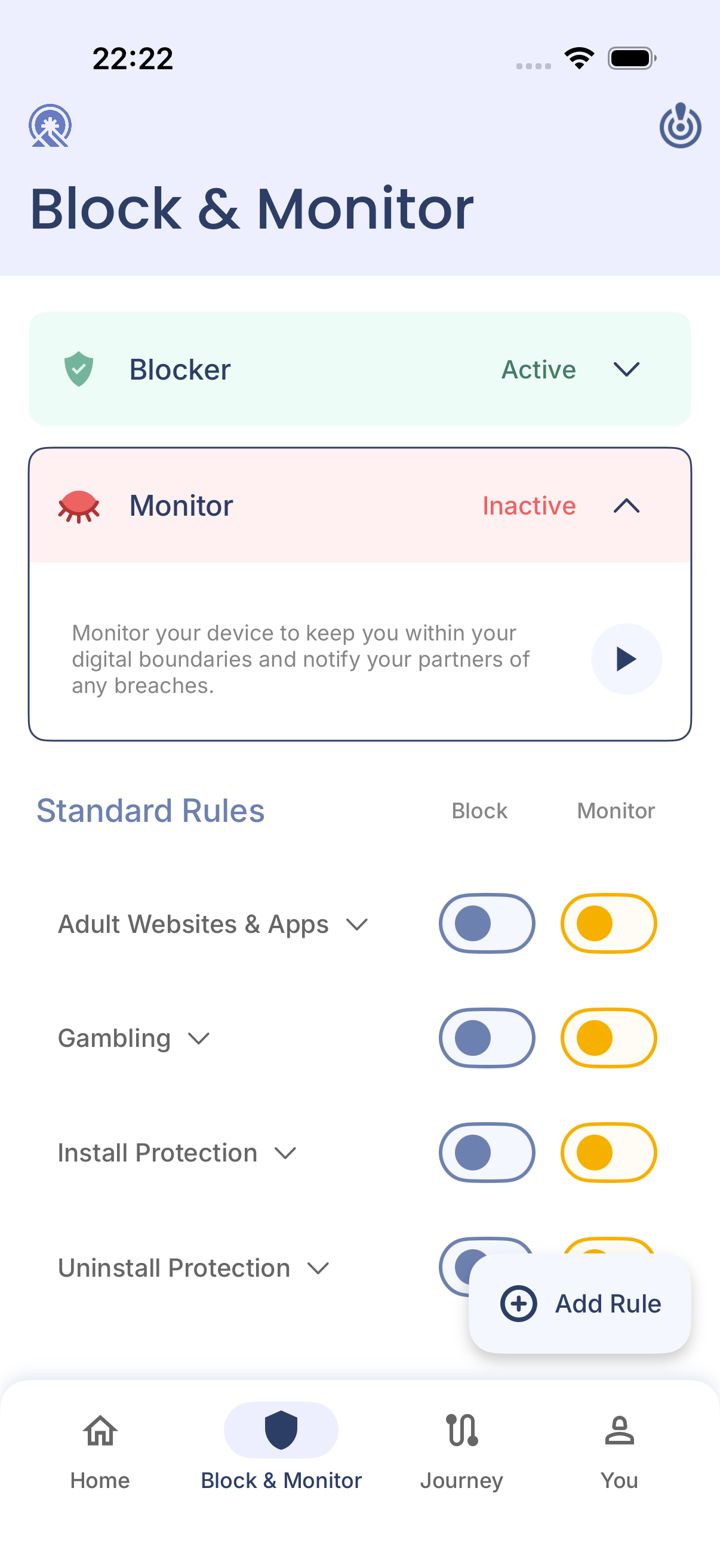
Step 2 of 4
Open Monitor and start it
Tap Monitor. If it says Inactive, tap the play button to start monitoring.
While Monitor is Inactive, rules can still block, but your partner isn't told about anything. This is the default if you chose Blocking only during setup.
Step 3 of 4
Switch on Monitor for each rule
In the Monitor column, switch on each rule you want your partner to hear about.
Step 4 of 4
Still nothing arriving?
Ask your partner to check their spam folder for an email from LeadMeNot. If it's still missing, email jason@leadmenot.org.
Did this work?
Great. Here's what people usually do next:
Sorry about that. Email Jason and we'll include which guide and step you were on, or ask our assistant.