
iPhone & iPad · Limit or block apps & sites
Block a website
Block a specific site like reddit.com or a news site.
Pick up where you left off?
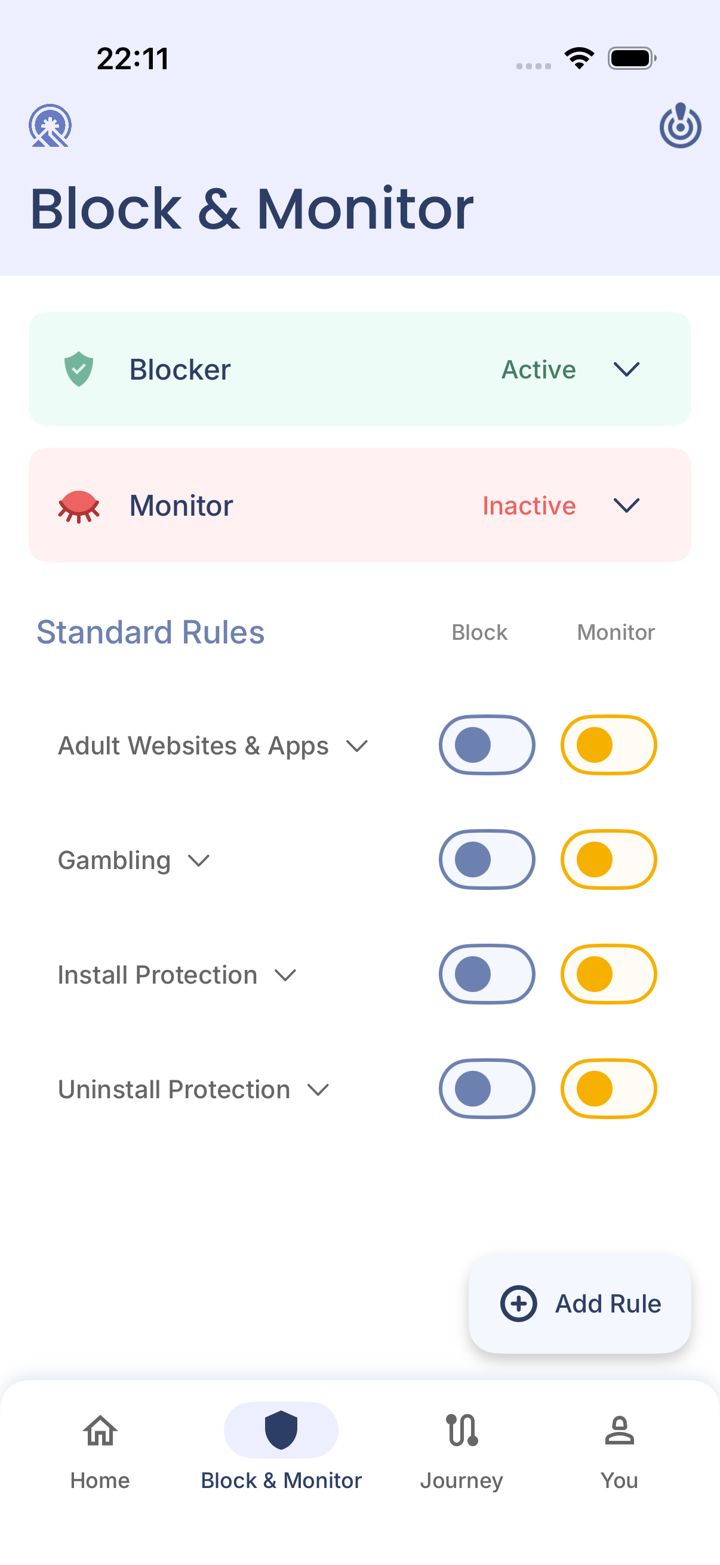
Step 1 of 5
Open the Block & Monitor tab
Tap Block & Monitor in the bar at the bottom of the app.
Step 2 of 5
Tap Add Rule
Tap Add Rule in the bottom right corner. A small menu opens.
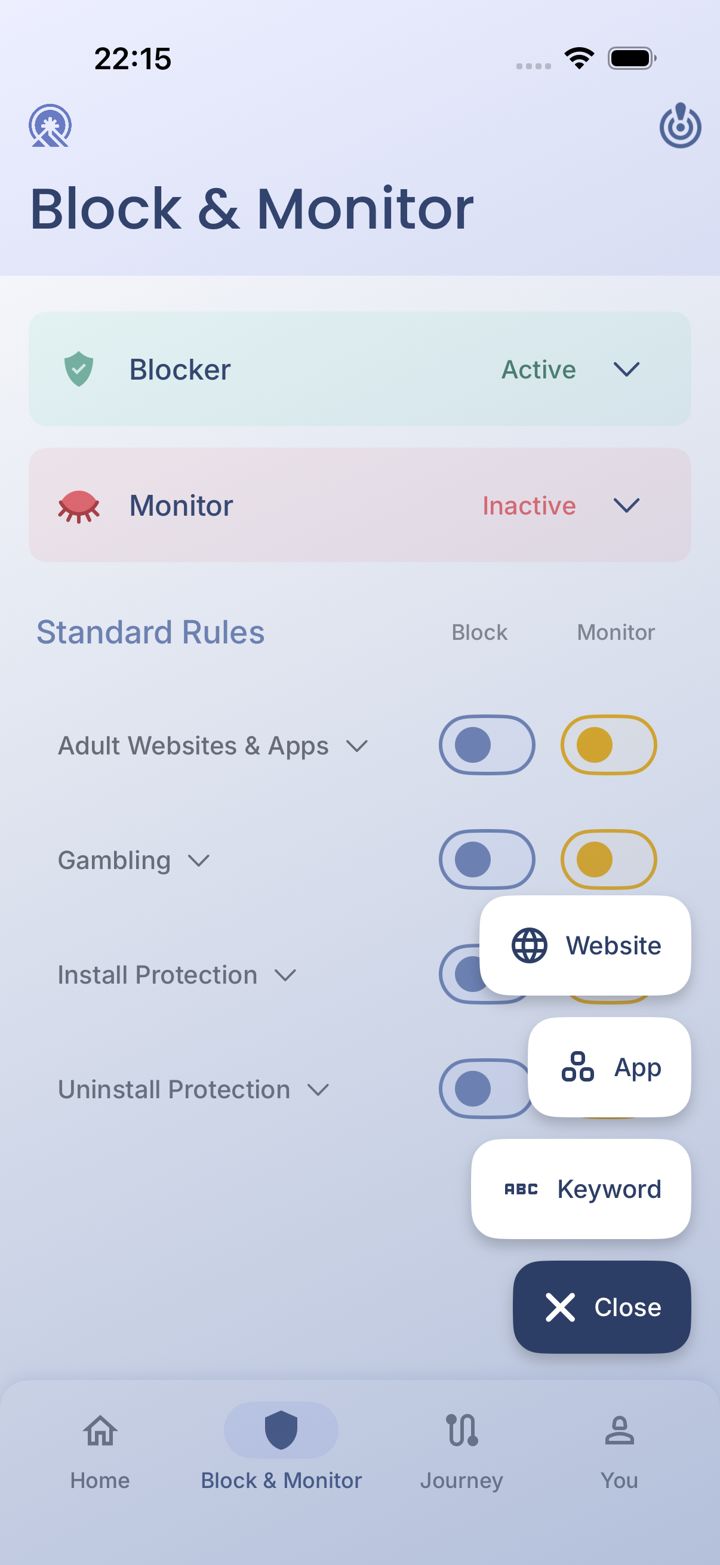
Step 3 of 5
Choose Website
Tap Website.
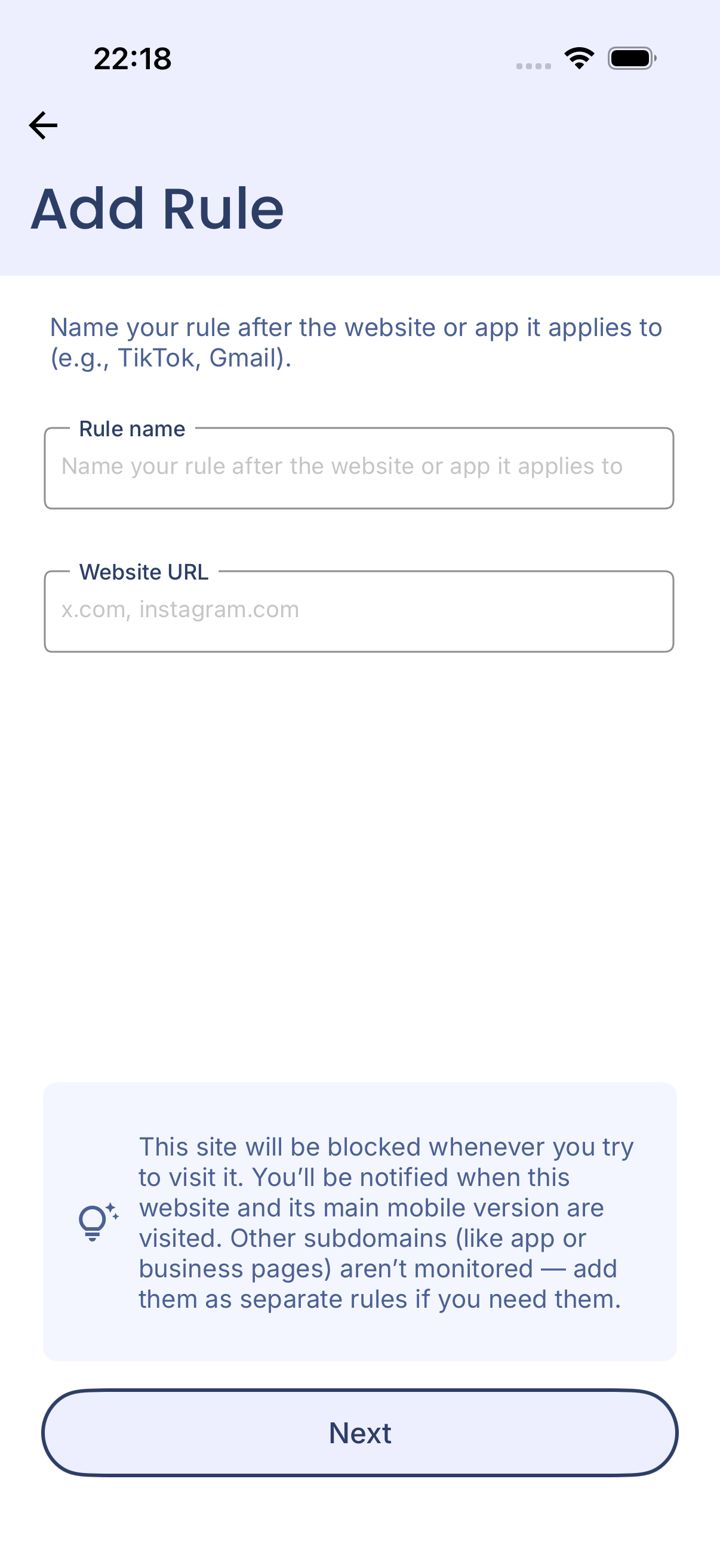
Step 4 of 5
Name the rule and enter the address
Give the rule a name (like Reddit) and type the site's address (like reddit.com). Then tap Next.
Watch out
We block the main site and its mobile version. Other subdomains, like app. or business pages, need their own rule.
LeadMeNot · Add Rule
Step 5 of 5
Choose when it's blocked and finish
Pick your timeframe and what you see when it's blocked, then save.
Pick an option above
Did this work?
Great. Here's what people usually do next:
Sorry about that. Email Jason and we'll include which guide and step you were on, or ask our assistant.