
iPhone & iPad · Block porn & explicit content
Block porn & explicit content
Switch on our built-in adult content list, then close the gaps in Safari.
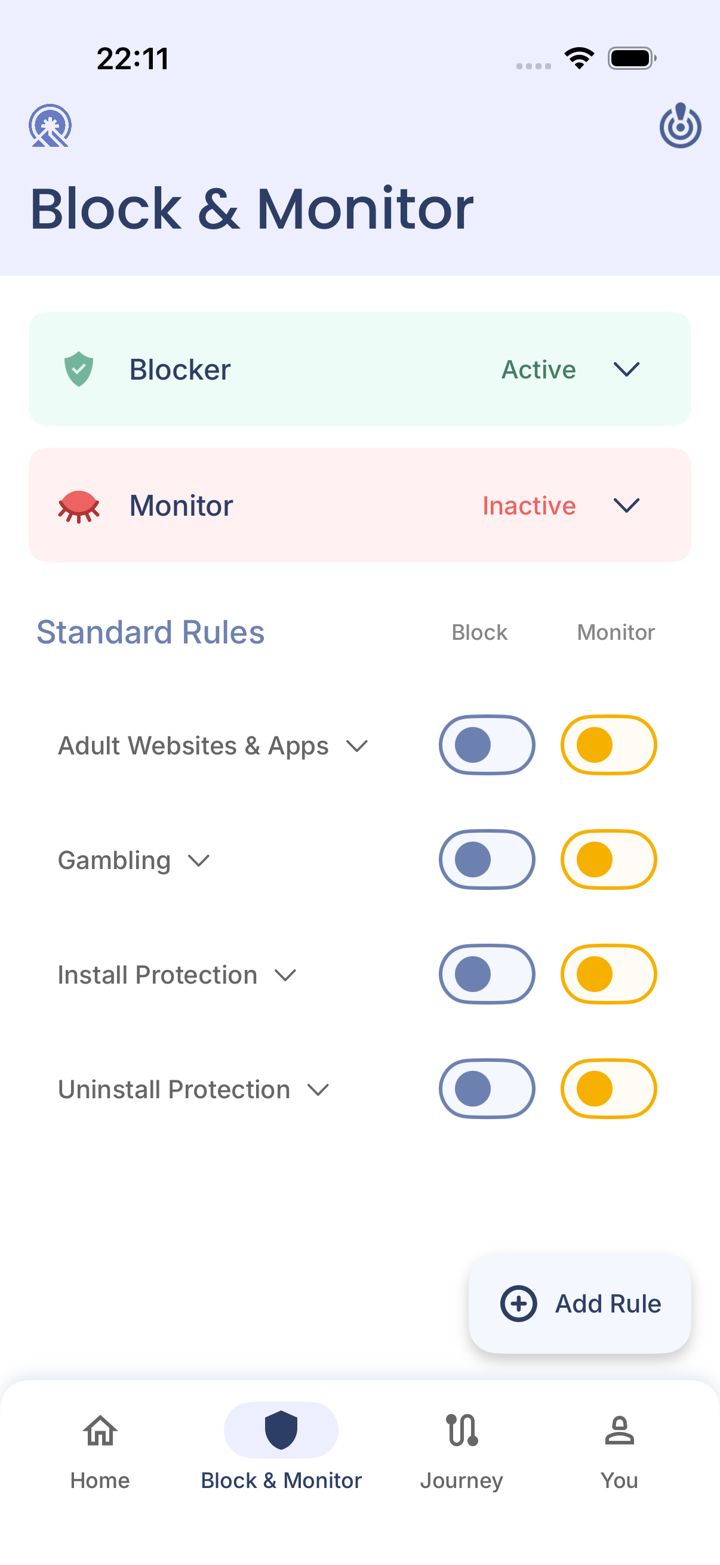
Step 1 of 5
Open the Block & Monitor tab
Tap Block & Monitor in the bar at the bottom of the app.
Step 2 of 5
Turn on Adult Websites & Apps
Under Standard Rules, switch on the Block toggle next to Adult Websites & Apps. Switch on Monitor too if you want your partner alerted.
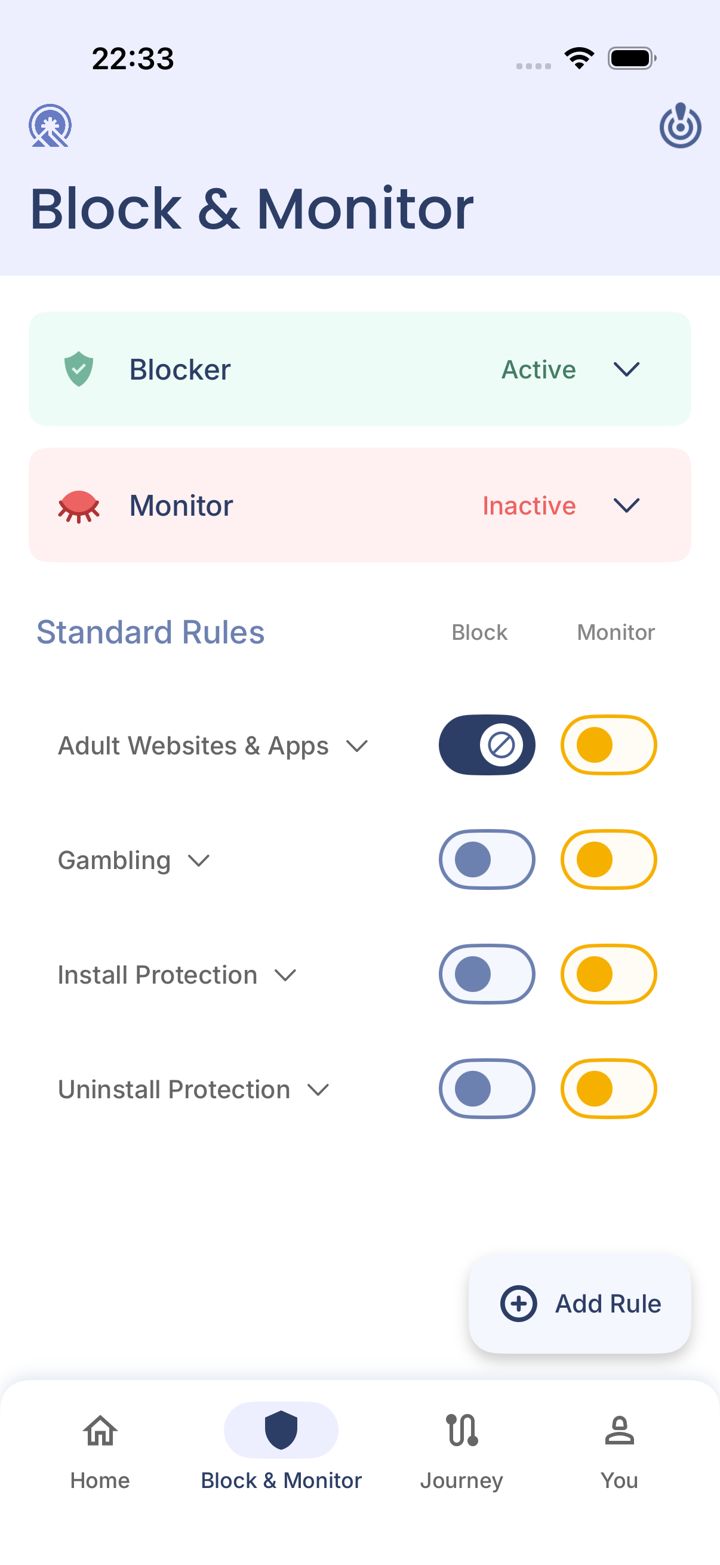
Step 3 of 5
Check it's on
The Block switch turns dark with a block symbol when it's on.
LeadMeNot · You › Protection Settings
Step 4 of 5
Protect your browsing
Go to You › Protection Settings and turn on the Safari Extension, then block every browser that isn't Safari. Choose VPN protection instead only if you want every browser monitored.
Not sure which? See Safari Extension or VPN: which should I use?
Safari
Step 5 of 5
Test it: type leadmenottest
Open Safari, type leadmenottest into the address bar and go. If LeadMeNot blocks the page, everything is working.
Not blocked? Every permission has to be on. Check the Safari Extension is switched on, with no red message under You › Protection Settings (or VPN protection, if you use that instead), Screen Time access is allowed, and the Blocker says Active on Block & Monitor.
The test only works while blocking is on, for example with Adult Websites & Apps switched on.
Did this work?
Great. Here's what people usually do next:
Sorry about that. Email Jason and we'll include which guide and step you were on, or ask our assistant.