
iPhone & iPad · Get started
Set up LeadMeNot for your child, spouse or someone else
Whose account, whose email, and how you stay in control.
Who is who
Step 1 of 7
The account belongs to the person being protected
Install LeadMeNot on their device and create the account in their name. You become their accountability partner, with your own email. That's what makes you the one who gets alerts and approves changes.
Don't sign up with your own name and email on their phone. Then you become the protected person and they end up as the partner, which is backwards. Several people cancel at this point. If you've already done it, email jason@leadmenot.org and we'll switch it around.
Step 2 of 7
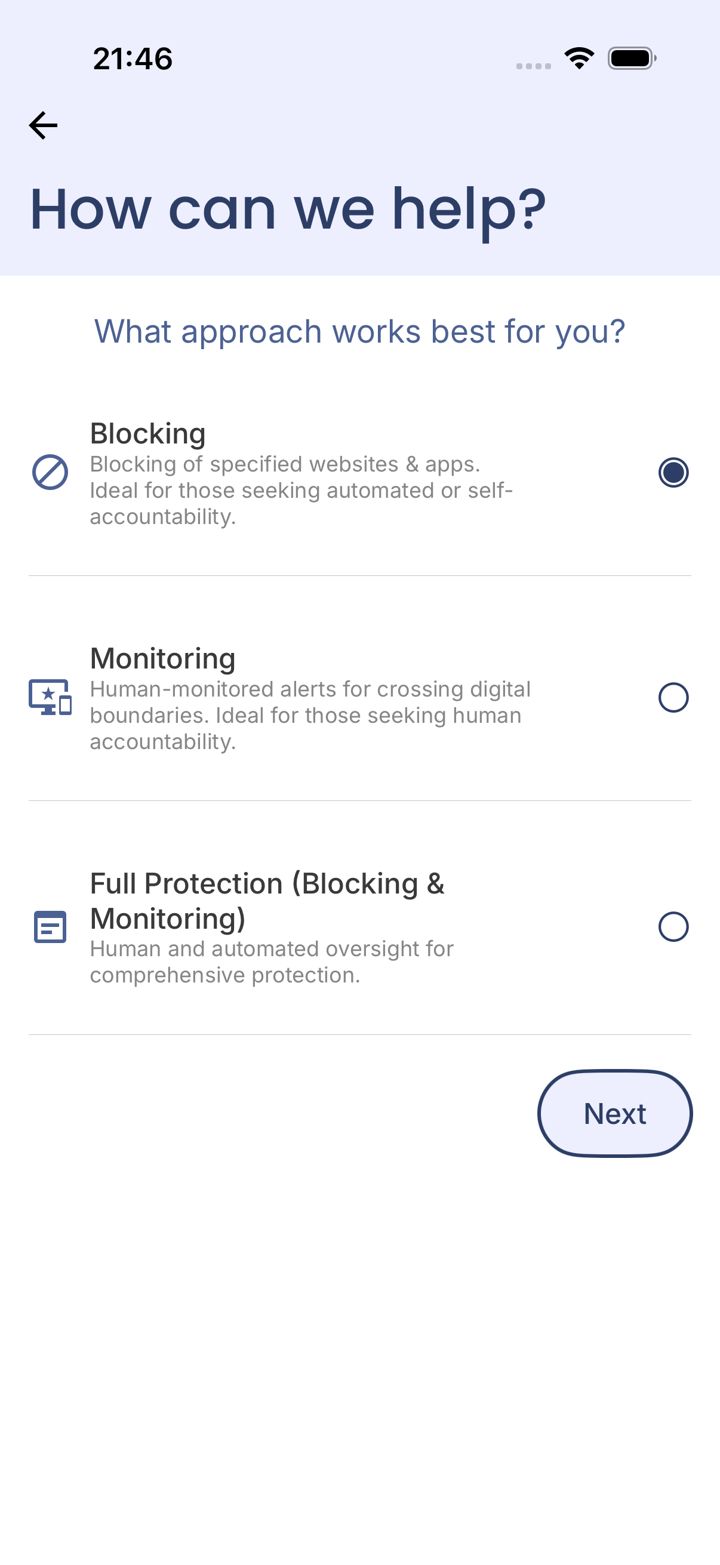
Pick Full Protection
During setup on their device, choose Full Protection, so you're told when a rule is broken.
Choosing Blocking only means setup never asks for a partner and you won't get alerts.
Step 3 of 7
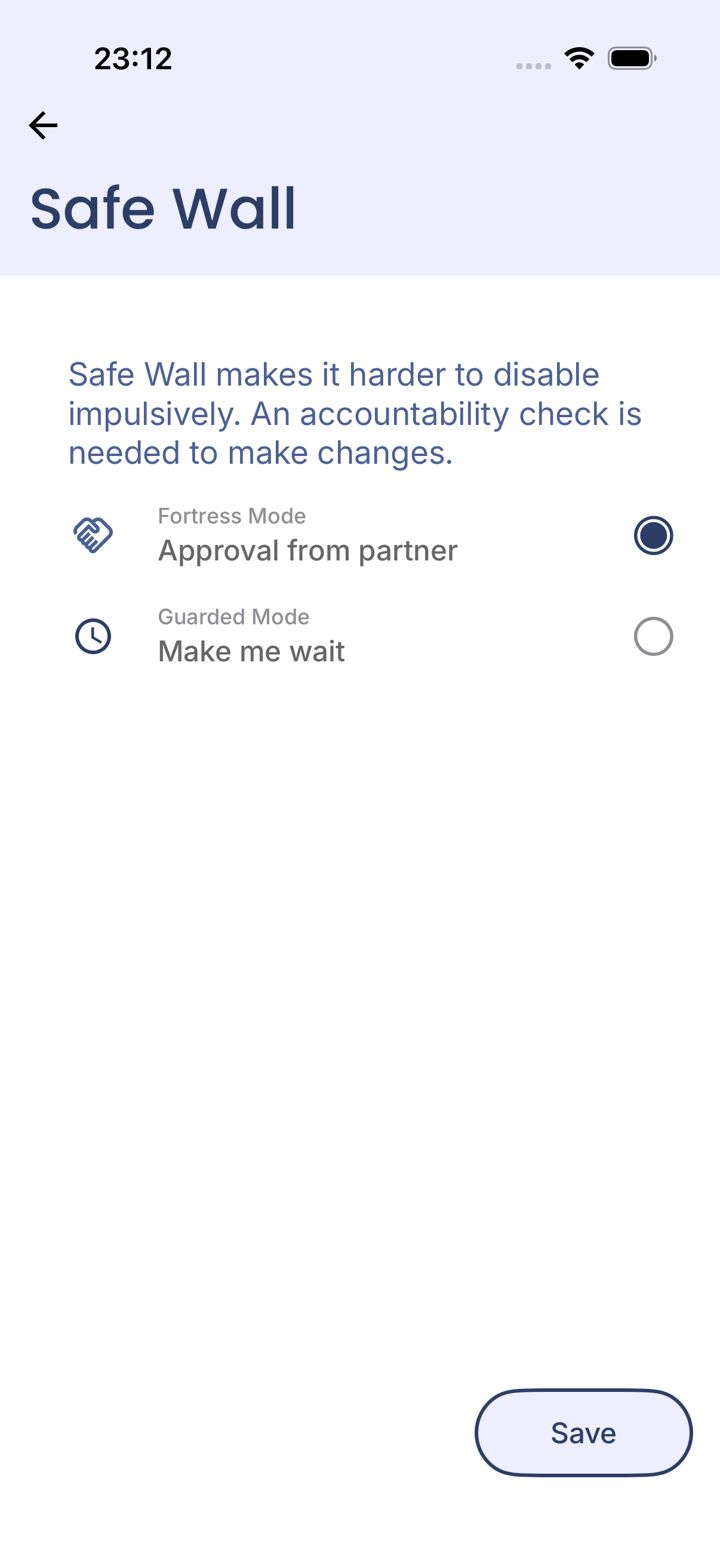
Set Safe Wall to Approval from partner
When setup asks how changes should be protected, select Approval from partner and tap Save. Then add yourself as the partner, with your own email. From then on, nothing can be switched off without your OK.
Device settings
Step 4 of 7
Lock the device too
Protection is only as strong as the phone's settings. On iPhone, set a Screen Time passcode only you know. On Android, turn on Uninstall Protection and Device Restart Protection. Our Lock it down guides walk through both.
Your phone
Step 5 of 7
Get the LMN Partner app
Partners get alerts by email automatically. The free LMN Partner app adds a fuller picture and lets you approve Safe Wall requests from your phone. Sign in with the exact email that was entered as the partner email.
Good to know
Step 6 of 7
What LeadMeNot can and can't see
LeadMeNot is text-based today: it reads the words on your screen (website addresses, searches, keywords, app names) and blocks or alerts on those. It doesn't analyze images or video yet. Image detection, which works by analyzing screenshots, is in development. So a photo in a text message, or an explicit image on an otherwise innocent page, isn't caught yet. The built-in adult and gambling lists block the sites where most of that lives.
Family plans
Step 7 of 7
More than one person to protect?
Each person needs their own account, with their own rules and partner. On an Unlimited Devices plan we can give you a family code so everyone is covered. Email jason@leadmenot.org.
Did this work?
Great. Here's what people usually do next:
Sorry about that. Email Jason and we'll include which guide and step you were on, or ask our assistant.